 Official Notion Integration
Real-time 2-way sync between Notion and Google Sheets
Pick the direction column by column. Notion to Sheets, Sheets to Notion, or both ways. Use Sheets formulas in Notion, build dashboards, create charts, and keep a live backup of every database.


Trusted by teams at






Everything Notion can't do with data, Sheets can
Real-time 2-way sync
Edits on either side show up on the other in seconds. Pick the direction column by column.
Per-column direction
Set each column to Notion to Sheets, Sheets to Notion, or both ways. Read-only properties like formulas and rollups stay one-way automatically.
Sheets Formulas in Notion
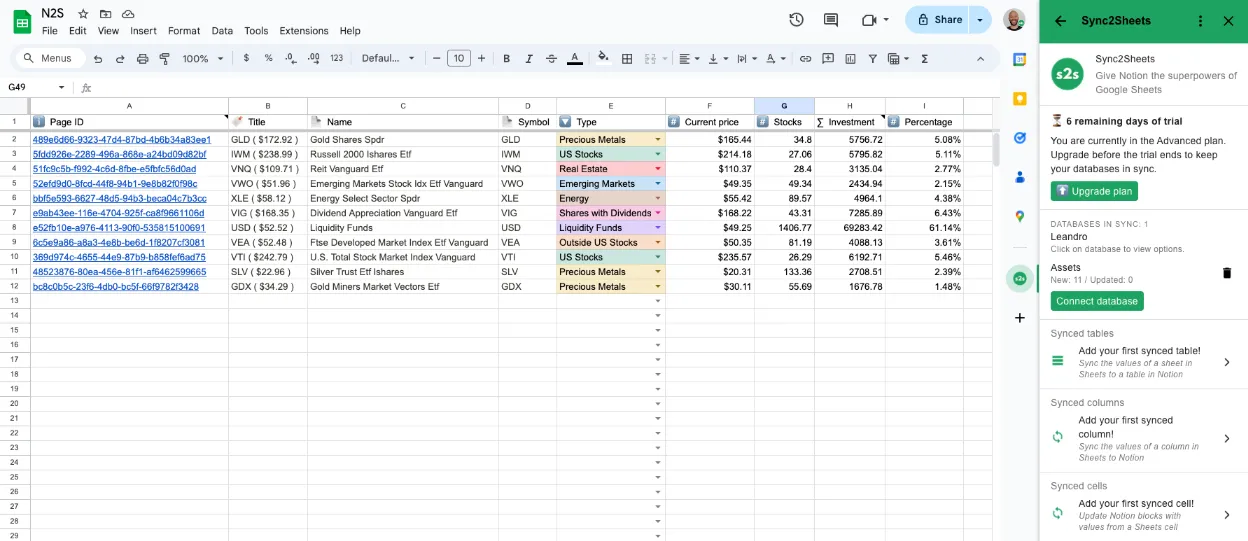
Mark a column Sheets to Notion and use =GOOGLEFINANCE, VLOOKUP, or any Sheets formula. The result lands in your Notion property and stays in sync.
Create Pages from Sheets
Add a row in Sheets, get a new page in Notion. Bulk import hundreds of pages in seconds.
Real-time Dashboards
Connect any Sheets cell to a Notion block. Values update on a schedule that matches your plan.
Tables in Notion
Sync entire sheets (pivot tables, summaries, reports) into Notion as live, always-current tables.
Charts and Visuals
Build charts in Sheets from your Notion data. Embed them back into Notion pages.
Automatic Backups
Every change in Notion is captured in Sheets. A real-time backup you can query, filter, and share.
See exactly how the Notion Google Sheets integration works, step by step.

Pick the sync direction for every column
Each column can be Notion to Sheets, Sheets to Notion (great for =GOOGLEFINANCE, VLOOKUP, or anything Notion formulas can't do), or Both ways. Changes flow in real time.
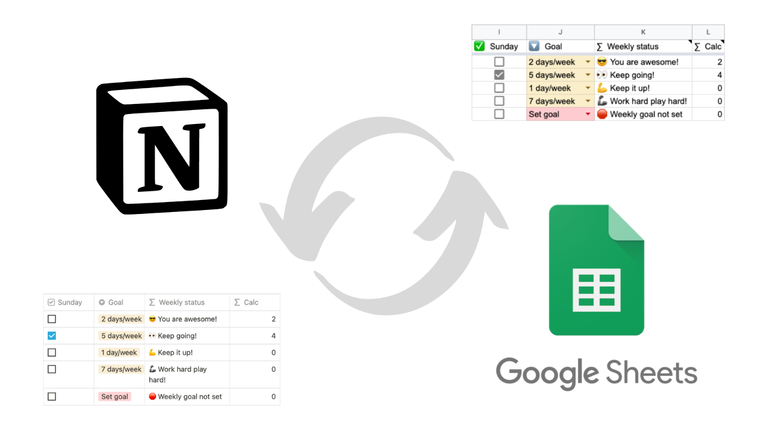
See how 2-way sync works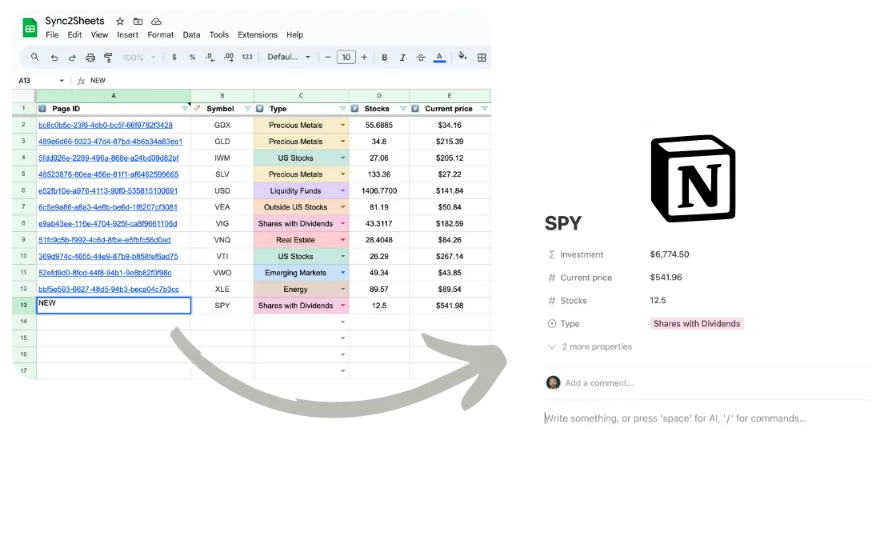
Import Sheets rows into Notion as pages
Need to import 500 contacts into Notion, or migrate an entire spreadsheet? Add the rows in Sheets, mark them as NEW, and watch pages appear. The sheet stays live after the move.
See how Page Creation works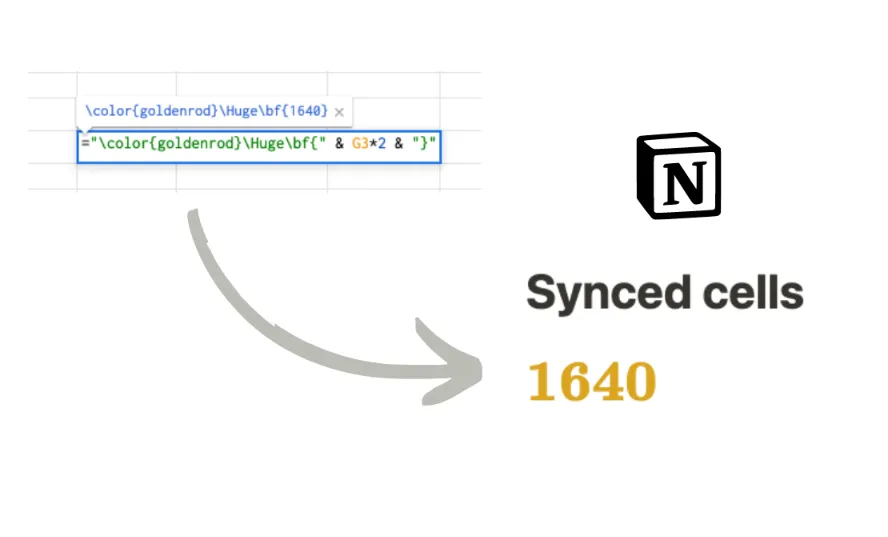
Build Notion dashboards powered by Sheets data
Connect a Sheets cell to any Notion block. Revenue numbers, KPIs, status indicators, anything. When the cell changes, the Notion block updates automatically.
See how dashboards work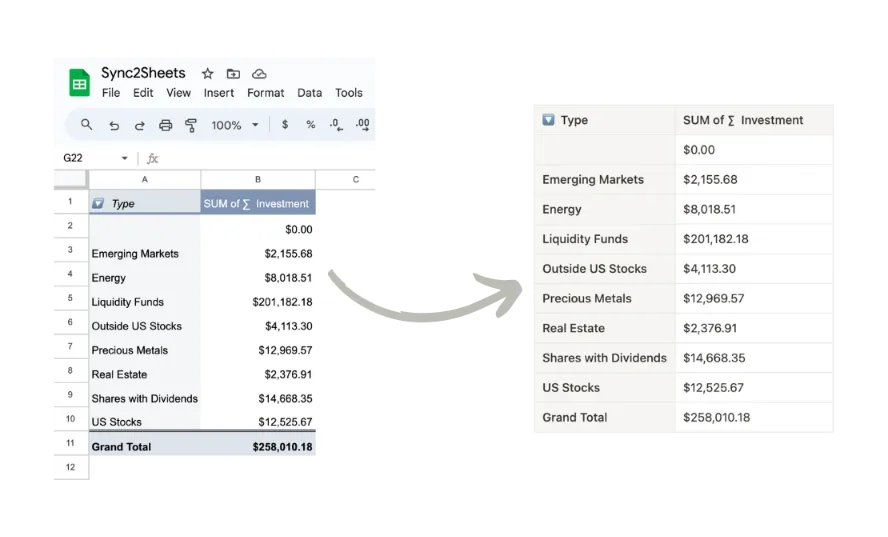
Display pivot tables and reports inside Notion
Sync entire sheets into Notion as tables. Pivot tables, data summaries, filtered reports. Rows are added and removed automatically as your data changes.
See Table Blocks in actionAnd there is more
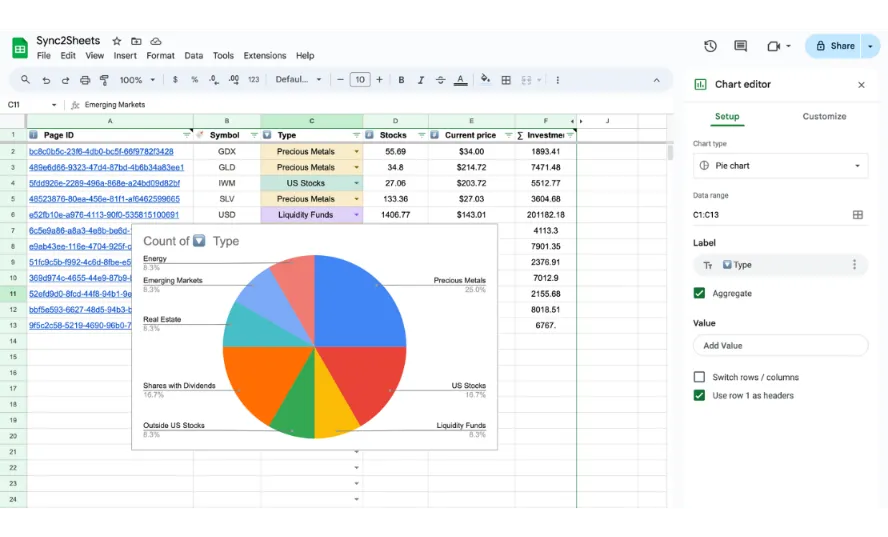
Create charts from your Notion data
Your Notion data syncs to Sheets. Build any chart Sheets supports. Embed it back in Notion. The chart updates as your data changes, always showing the latest numbers.
A live backup of every Notion database
Every row, every property, every relation. Synced to Sheets in real-time. No more CSV exports, no stale copies. If something breaks in Notion, your data is safe in Sheets.
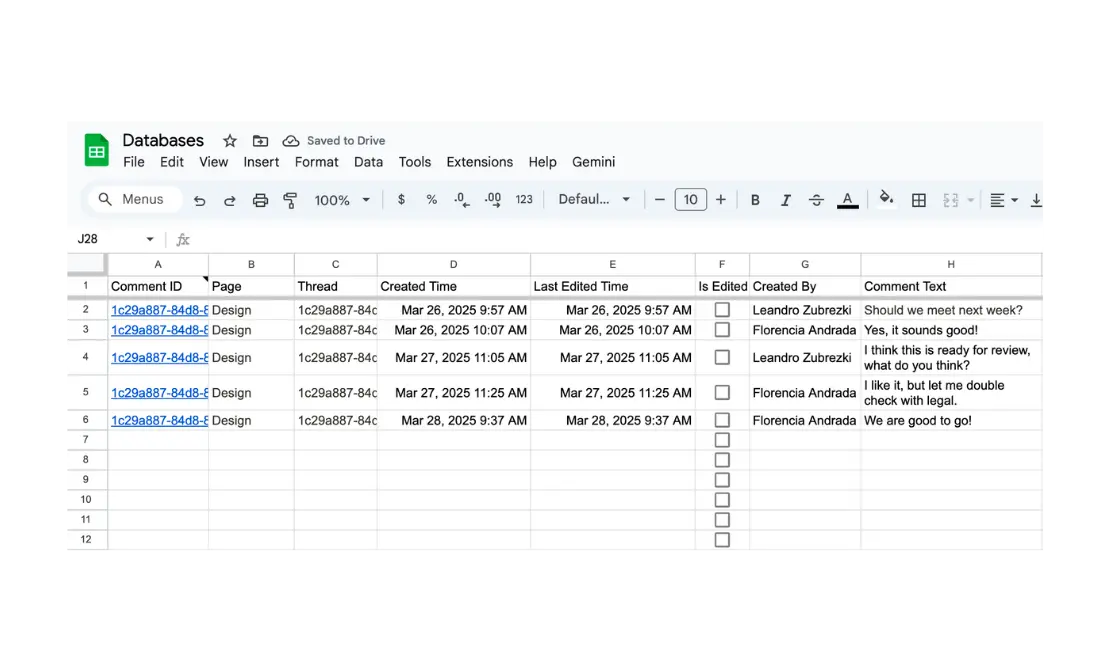
Track every Notion comment in one place
Comments from across your workspace, collected in a single sheet. Author, timestamp, page link. Filter, search, and export discussions your team is having.
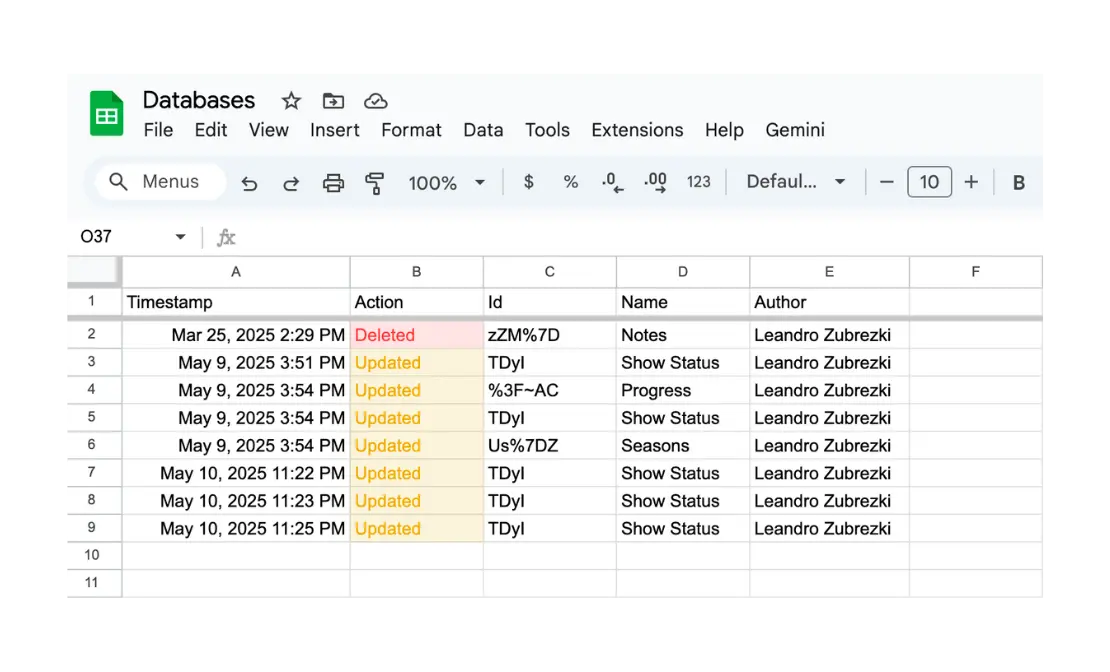
Know when your database schema changes
Someone renamed a property? Deleted a column? The Audit Log records every structural change with who made it and when. No more mystery edits.
A Notion Google Sheets integration you set up once. Your data stays in sync forever.
Connect your Notion workspace once. Every database, every property, every update flows to Sheets automatically.
Sync2Sheets, in plain answers
Quick takes on what it does, what it costs, and how it compares.
Is Sync2Sheets a Notion Google Sheets integration?
Yes. Sync2Sheets is an official Notion integration that syncs Notion databases and Google Sheets in real time, in both directions. You pick the sync direction column by column: Notion to Sheets, Sheets to Notion, or Both ways. It runs as a Google Workspace add-on with 184,000+ installs, so there is no separate platform to set up.
Is Sync2Sheets a real 2-way sync?
Yes. Notion changes propagate to Sheets in seconds via Notion's official webhook API. Sheets changes propagate to Notion in seconds via Google Drive push events. Real-time on every plan, in both directions. A 10-minute reconciliation pass runs as a backstop in case a push gets dropped.
How much does Sync2Sheets cost?
Starter is $12/month (billed annually) for 3 databases. Advanced is $19/month for 10 databases. Business is $40/month for unlimited databases. Pricing is flat, not per-user. Free 7-day trial, no credit card required.
Which Notion property types are supported?
All of them. Title, rich text, number, select, multi-select, status, date, date range, person, files, relation, rollup, formula, URL, email, phone, checkbox, and icon. Read-only Notion types (formula, rollup, created time, last edited time, unique ID, button, verification, files) are always synced Notion to Sheets only.
How is Sync2Sheets different from Whalesync or Dokin?
Compared to Dokin: Sync2Sheets is real-time and 2-way; Dokin is polled and one-way only. Compared to Whalesync: both do 2-way sync, but Sync2Sheets is a Google Workspace add-on (no separate platform), costs a quarter of the price ($12-$40/month flat vs $49+/month), and has a per-column direction picker rather than database-level direction.
Is Sync2Sheets the same as Notion2Sheets?
Yes. Sync2Sheets started out as Notion2Sheets. Same product, same team, same Google Workspace add-on. If you used Notion2Sheets before, your account and syncs carried over unchanged.
Can I create Notion pages from rows in Google Sheets?
Yes. Mark a row in Sheets with NEW in the Page ID column and Sync2Sheets creates the matching Notion page on the next sync, with every property filled in. This is also how you import a Google Sheet into Notion in bulk: paste the rows, mark them NEW, and the sheet stays synced after the migration.
More questions? See the full FAQ or contact us.
Who uses it
Same add-on, different jobs. Each one has a walkthrough.
Ops teams
Keep Notion databases and Sheets formulas in sync so the team's operational data is never stale.
The 2-way sync guideRevenue teams
Run the pipeline in Notion, compute revenue in Sheets, write the numbers back to Notion pages.
Notion CRM with live dashboardsMigrations
Move a spreadsheet into Notion as pages, relations included, and keep the sheet editable afterwards.
Google Sheets to Notion: import or syncFounders
Lightweight ops in Notion, with live prices, budgets, and trackers pulled from Sheets.
A portfolio with live pricesTrusted by 184,000+ Notion users
“This product is absolutely incredible! Whether you're a beginner or an advanced Notion user, it will completely transform the way you work. It seamlessly integrates the powerful features of Google Sheets right into Notion, elevating your workflow to a whole new level. What truly sets it apart, though, is the outstanding customer service. You get fast, helpful responses that save you countless hours of trial and error. It's like having a personal guide every step of the way! I highly recommend this to anyone using Notion. Trust me, you won't want to work without it!”

Santiago Aguayo
Senior Information Architect
Review on the Google Workspace Marketplace, Oct 10, 2024
“Sync2Sheets is an incredibly useful tool that helps extend the functionality of our Notion workspace! Adding the formula power of Google Sheets to Notion gives us crystal clear data to inform our business operations.”

Michael Prehn
Special Projects Administrator at Premier Food Group
Review on the Google Workspace Marketplace, Oct 7, 2024
“Finding Sync2Sheets was a game changer for us as a business to be able to intermingle our data into notion by leveraging google sheets. The system works perfectly and as expected but what I am really impressed and blown away by is the customer and tech support, we are getting answers to questions in real time and it is helping us meet our goals much faster then we anticipated. Kudos to Leandro and the whole Sync2Sheets team, Bravo!”

Andrew Abony
CEO & Co-founder of Adbloom
Review on the Google Workspace Marketplace, Jul 8, 2024
“This is a game changer, Sync2Sheets is the the most affordable and the most effective way of giving to Notion the power of Gsheets data manipulation. It opens to a wide range of possibilities. I love it!”

Alessandro Viola
Marketing and Innovation for the Arts
Review on the Google Workspace Marketplace, Jun 16, 2024
“Sync2Sheets is indispensable tool to export our backlog to Sheets for analysis. Developer support has been outstanding as well. Wish lowest price tiers had a few more abilities, like to sync on demand on a limited basis when Im trying to debug something, but I get why developer adds value for increased subscription costs.”

Bernie Yee
CEO and Co-founder of Windup Minds
Review on the Google Workspace Marketplace, May 22, 2024
“Amazing and simple tool that changed our workflows. We had so much data in Notion that we wanted to exploit quickly in Google Sheets, but were forced to manually export and import. Sync2Sheets was a game changer! On top of that, Leandro's customer support is awesome. Super responsive and personable. Could not recommend this tool highly enough.”

Peter Starr
Revenue Operations at ScorePlay
Review on the Google Workspace Marketplace, May 10, 2024
“I love the add-on! I use it to get live market data from Google Sheets for my investments page in Notion. Ran into a minor issue, but I'm glad that Leandro helped me sort it out immediately.”

Matthew Dizon
AdMU BS Communications Technology Management Graduate
Review on the Google Workspace Marketplace, May 10, 2024
“Extremely useful software. The team was also kind enough to reach out themselves and even helped me with some additional support. Highly recommended.”

Nikita Pestrikov
Partner | Investments & Finance at M4 Capital
Review on the Google Workspace Marketplace, May 9, 2024
“I'm a fan of Google sheets, but my team is a fan of Notion, so Sync2sheets provided the perfect medium for both of us. This tool is super smooth and if I do bump into issues, Leandro has always immediately answered and helped to address any issue. Thank you”

Sofia Bernardo
Staff Technical Program Manager at WeTransfer
Review on the Google Workspace Marketplace, May 9, 2024
“Super powerful. Now we can use Notion to store our data and Sheets to analyse it. Leandro is extremely responsive.”

Josh Treon
CEO at Nomio
Review on the Google Workspace Marketplace, Apr 20, 2024
“Such a simple, but powerful app. I was up in minutes with this and it's now core to our reporting process.”

Tyler Bubin
GTM Leader in AI/Web3 | Advisor | Investor
Review on the Google Workspace Marketplace, Apr 18, 2024
“Love this app, my company uses it to connect a database to a very important spreadsheet. Leandro is excellent, and the customer support for any trouble shooting is fantastic! Highly recommend!”

Lisa Frankel
Executive Vice President at Premium Prep College Counseling
Review on the Google Workspace Marketplace, Apr 4, 2024
Your Notion data deserves better than CSV exports
Real-time 2-way sync. Direction picked per column. Set it up in 2 minutes. Free 7-day trial, no credit card required.
Install the Add-on