 Official Notion Integration
The Notion Google Sheets integration that syncs both ways in real time
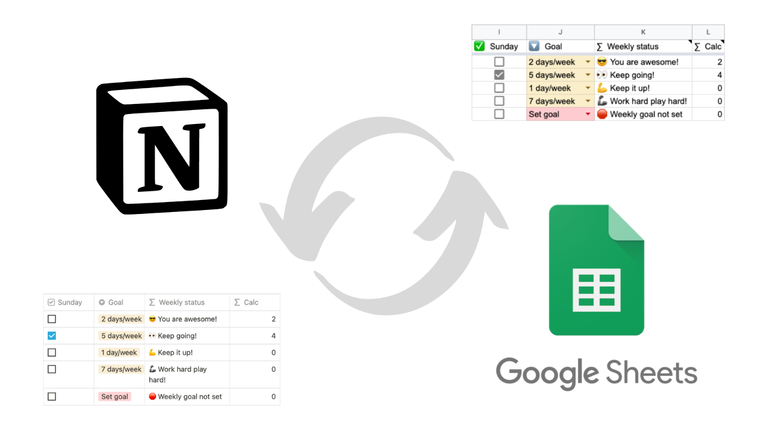
Connect any Notion database to a Google Sheet once. Edits on either side land on the other in seconds. Pick the direction column by column: Notion to Sheets, Sheets to Notion, or Both ways. Rollups, relations, and colored selects stay intact.
- Set up in under 2 minutes, no code
- Every Notion property type supported, including rollups and relations
- Official Notion integration, 184,000+ installs
From $12/month. Free 7-day trial, no credit card required.
Trusted by teams at






How to integrate Notion with Google Sheets: the three options
Notion and Google Sheets have no native integration, so people end up doing one of three things. Notion can export a database to CSV, but that file is stale the second it downloads. Zapier-style tools help a bit but add latency, get expensive, and break when Notion property types change. Sync2Sheets is a live mirror. Your Google Sheet is your Notion database, moment by moment.
Manual CSV export
Notion's built-in export. Good for a one-off snapshot, bad for anything you want to analyze on an ongoing basis. Breaks rollups, loses formatting, and goes stale instantly.
Zapier / Make
Triggers on updates but pays per task. Property type mappings drift and break. No formulas, no bulk sync for existing data, and schema changes silently break flows.
Sync2Sheets
Real-time 2-way sync via Notion's webhooks and Google Drive events. Pick the direction column by column: Notion to Sheets, Sheets to Notion, or Both ways. Full property-type fidelity including rollups, relations, formulas, and colored selects. Page creation, block updates, and table blocks add extra Sheets-driven workflows on top. Official Notion integration, built specifically for this use case.
Comparing specific tools? See our head-to-head breakdown of Sync2Sheets vs Dokin vs Whalesync vs Coefficient vs Zapier, or read the full guide to exporting Notion databases to Google Sheets.
What Notion can't do, Sheets can
Once your data is mirrored in Google Sheets, every spreadsheet capability becomes part of your Notion workflow.
Use Sheets formulas in Notion
=GOOGLEFINANCE for stock prices. =IMPORTXML for live web data. VLOOKUP across sheets. Set the column to Sheets to Notion and the result lands in your Notion property. How 2-way sync works.
Live dashboards in Notion pages
Drive a Notion heading or callout from a single Sheets cell. KPIs, status indicators, counters, tickers, all updated automatically. See block updates.
Charts inside Notion
Every Google Sheets chart type embedded inside Notion pages and kept current as your data changes. No manual refresh. See charts in Notion.
Pivot tables and reports
Build pivots in Sheets, render them inside Notion as simple tables that update whenever the source does. See table blocks.
Create pages from rows
Bulk-create Notion pages by adding rows in Sheets. Perfect for imports, form submissions, and migrations. See page creation.
Continuous backups
Every Notion change captured in Sheets in real time. A live backup you can query, filter, and share with teammates who don't have Notion access. How database sync works.
What real Sync2Sheets setups look like
Five workflows that drop into any Notion workspace in minutes.
Investment portfolio with live prices
A Notion database tracks the assets you own. The Current Price column is set to Sheets Notion, with =GOOGLEFINANCE("NASDAQ:AAPL") in the matching Sheets cell. Notion shows the latest price as a normal number property, and Sheets handles the math. See the full portfolio walkthrough.
Sales CRM with revenue dashboards
The deals database lives in Notion where the sales team works. A Sheets pivot table aggregates closed-won by month, by rep, by stage. The summary table goes back into Notion as a table block. The leadership team sees the same numbers without leaving Notion.
Bulk Notion page creation from a sheet
500 contacts from a CSV. Paste them into Sheets, add NEW in the Page ID column, and the next sync creates 500 Notion pages with every property filled in. No scripts, no API. How page creation works.
Live KPIs in Notion dashboard pages
MRR, churn, NPS, active users. Calculated in Sheets, rendered as Notion headings and callouts. The block updates feature pushes each value into a specific Notion block. The team scrolls through one Notion page and sees the whole business. How block updates work.
A live backup of your entire workspace
Every Notion database mirrored to a Sheets tab in real time. Page edits, new rows, deletions, schema changes. If anything goes wrong in Notion (accidental delete, bad migration, account recovery), the latest state is sitting in Sheets, queryable and exportable. Audit log details.
Set up the integration in under 2 minutes
Install the Google Workspace add-on
One click from the Google Workspace Marketplace. No separate account, no API keys, no CLI.
Connect your Notion workspace
Authorize the Sync2Sheets integration in Notion. Share the specific databases you want to sync. You control which data is accessible.
Pick a database, pick a sheet
Open the sidebar in any Google Sheet, choose the Notion database, choose a tab. The first sync runs immediately. Every change in Notion from that moment on flows through automatically.
Used by teams at WeTransfer, Canva, UPS, Wix, Circle, L'Oreal
From solo founders tracking a portfolio to revenue ops teams syncing CRMs, 184,000+ installs use Sync2Sheets to keep Notion and Google Sheets aligned without manual work.
“We had so much data in Notion that we wanted to exploit quickly in Google Sheets, but were forced to manually export and import. Sync2Sheets was a game changer.”
“I'm a fan of Google Sheets, but my team is a fan of Notion, so Sync2Sheets provided the perfect medium for both of us. Super smooth.”
Frequently asked questions
Is Sync2Sheets a Google Sheets Notion integration?
Yes. Sync2Sheets is the integration that connects Google Sheets and Notion, keeping any Notion database and a Google Sheet in sync in real time and in both directions. It is an official Notion integration delivered as a Google Workspace add-on, so there is no separate platform to run and no API setup.
How do I integrate Notion with Google Sheets?
Install the Sync2Sheets add-on from the Google Workspace Marketplace, connect your Notion workspace, then open the sidebar in any Google Sheet and pick a database. That is the whole integration. The first sync runs in seconds and every change on either side flows through automatically from then on. No API keys and no automation platform in the middle.
Is this a true real-time sync from Notion to Google Sheets?
Yes. Sync2Sheets uses Notion's official webhooks, so every page edit, property change, and new row appears in Google Sheets within seconds. There is no polling, no manual refresh, and no 15-minute delay.
Is this a full 2-way sync?
Yes. Sync2Sheets is real-time in both directions: Notion to Sheets and Sheets to Notion. You pick the direction column by column. A column can be Notion to Sheets, Sheets to Notion (great for formulas like =GOOGLEFINANCE), or Both ways. Page creation, block updates, and table blocks are still available for non-database scenarios.
How do I sync Google Sheets to Notion (the other direction)?
Set the column's direction to Sheets to Notion in the Sync2Sheets sidebar. Whatever you type or calculate in that Sheets column lands in the matching Notion property within seconds. Common uses: a Sheets formula populates a Notion number, a Sheets-side status overrides what's in Notion, or a calculated date pushes back to a Notion date property.
Can I import a Google Sheet into Notion?
Yes, and it stays live. Add rows to your sheet, mark each one NEW in the Page ID column, and Sync2Sheets creates the corresponding Notion pages on the next sync. From that point forward, the sheet and the Notion database stay in sync in both directions.
How do I export a Notion database to Google Sheets?
Install Sync2Sheets, share the database with the Sync2Sheets integration in Notion, then pick the database from the sidebar in any Google Sheet. The initial sync runs in seconds and every change in Notion shows up in Sheets automatically from there. No more CSV exports.
Is there a way to sync Notion and Google Sheets in real time?
Yes. Sync2Sheets uses Notion's official webhook API for Notion-side changes and Google Drive push events for Sheets-side changes. Updates propagate within seconds in both directions, on every plan. A 10-minute reconciliation pass catches anything a push notification might have missed.
Which Notion property types are supported?
All of them. Title, rich text, number, select, multi-select, status, date, date range, person, files, relation, rollup, formula, URL, email, phone, checkbox, and icon. Select colors, rollup values, relation titles, and number formats all come through faithfully. Read-only types (formula, rollup, created time, last edited time, unique ID, button, verification, files) are always Notion to Sheets.
Does it work with rollups and formulas?
Yes. Rollup values and formula results are synced on every update. For edge cases where Notion does not emit a webhook for a rollup change, a full database scan refreshes every row at once.
How do I install Sync2Sheets?
Sync2Sheets is a Google Workspace add-on. Install it once from the Marketplace, open any Google Sheet, connect your Notion workspace, and pick a database. First sync runs in under a minute.
Is there a free plan?
You get a free 7-day trial with no credit card. Paid plans start at $12/month. See pricing for the full breakdown of limits and features.
Is my data safe?
Sync2Sheets is an official Notion integration. Data flows directly between your Notion workspace and your Google Sheets account. Review the privacy policy for the full details on retention and access.
More questions? See the full FAQ or contact us.
Start syncing Notion to Google Sheets today
Free 7-day trial. Setup in under 2 minutes. No credit card required.
Install the Add-on