Notion Sites in 2026: Build a Website with Notion (Pricing, Pros, Cons)
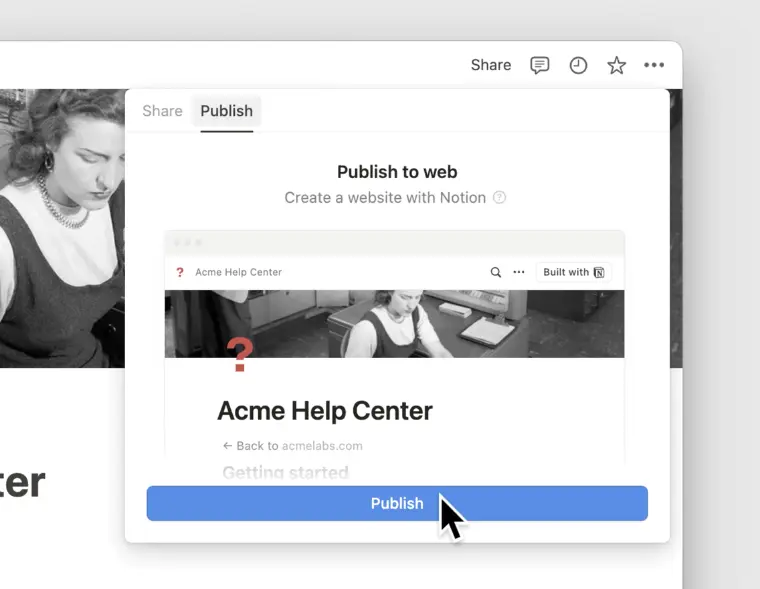
Building a website with Notion in short: Notion Sites turns any Notion page into a real website with a custom domain, SEO meta tags, Google Analytics, and navigation, all built in Notion's block editor with no code. It's a strong fit for simple sites, but lacks custom code and password protection, where third-party builders like Super and Potion still pull ahead.
Notion Sites launched in June 2024. You'd been able to publish pages publicly for years, but Sites turns any Notion page into a real website: custom domain, SEO meta tags, Google Analytics, the usual toolkit.
This guide covers what's included, what it costs, where it falls short, how it compares to Super, Potion, Bullet, Simple Ink, and Feather, and a few real-world examples. There's also a note at the end on pairing it with Sync2Sheets when you want live data in your published pages.
Notion Sites vs the alternatives at a glance
| Notion Sites | Super | Potion | Bullet | Simple Ink | Feather | |
|---|---|---|---|---|---|---|
| Custom domain | Yes (paid) | Yes | Yes | Yes | Yes | Yes |
| Custom code (CSS/JS) | No | Yes | Yes (CSS, fonts) | Limited | Yes | Limited |
| Per-page meta tags | No | Yes | Yes | Yes | Yes | Yes |
| Password protection | No | Yes | Yes | Yes | Yes | No |
| Built-in analytics | Google Analytics only | Yes | GA + custom | Yes | GA | GA |
| Auto-generated sitemap | No | Yes | Yes | Yes | Yes | Yes |
| Best fit | Simple sites, no-code | Marketing sites | Portfolios with style | Membership / gated content | Member-protected sites | Blogs specifically |
If your requirements line up with the Notion Sites column, save the money and use it. Anything in the "No" rows means you probably need one of the third-party tools.
What Notion Sites gives you
The main additions on top of regular Notion sharing:
Custom Domains
Instead of publishing your Notion site with a "notion.site" URL, you can now connect a custom domain. You'll need to purchase the domain elsewhere; you can't currently register domains through Notion.
You can also claim one "notion.site" domain for free (or up to 5 if you're on a paid plan).
SEO
Boost your site's visibility in search results by setting a custom meta title and meta description. All sites are also optimized for mobile by default.
Google Analytics Connection
Notion Sites lets you connect Google Analytics to your site for a detailed look at traffic, visitor behavior, and more.
Site Navigation
Create a header menu for your site with a search bar, breadcrumbs, and navigation links to other Notion pages.
Appearance Customizations
Set a custom favicon, choose between light/dark mode, and upload a custom share preview image for your site.
Notion Sites Pros and Cons
Now you know the basics of what you can do with Notion Sites. But is it worth using for your project? Here are some pros and cons to help you decide:
Pro: No Coding Required
If the possibility of having to write or edit code is stopping you from creating a website, Notion Sites offers an excellent solution.
Sure, there are plenty of other drag-and-drop website builders out there. But if you're already familiar with the Notion interface, Notion Sites lets you create a site without learning a new tool.
Just drag and drop the blocks on the page as you want them to appear, then publish the result as a website.
Con: Can't Customize HTML, CSS, or JS
While being no-code is a pro for many, it's also a downside of Notion Sites. Developers or designers who want more nuanced control of their site's appearance and behavior will find Notion Sites lacking.
Notion may add the ability to customize HTML, CSS, or even JavaScript in the future. But for now, you're limited to what you can create using Notion's block editor.
Pro: You already know how to use it
If you've ever used a CMS and thought "I wish this worked more like Notion," this is it. Every Notion feature, from AI writing to databases to embeds, comes along for the ride. Write a page. Publish it. Done.
Con: Access Controls Are Limited
The sites you can build with Notion Sites are full websites, no doubt about it. But that doesn't mean you'll find the same features you would in a CMS like WordPress.
One of the most serious missing features is access controls. You can't lock down access to specific databases, properties, or other "behind the scenes" parts of your Notion sites.
While this might not matter for personal projects, it is an issue when creating something like a client portal. The lack of password protection features is similarly problematic.
Pro: Choose from 10,000+ Templates to Get Started
If you can imagine a website type or design, there's probably a Notion template for it.
Starting with a great template can speed up the build process, helping you get your site live quicker. And with many free templates available, you can save your money for the perfect domain name.
Con: Lacks the Features of a Full CMS
Notion's writing and database tools work well for website building. And they're more than enough to manage a portfolio, personal website, or basic business site.
However, Notion Sites isn't ideal for managing a large, content-heavy website. For instance, you can't schedule posts as you would in WordPress.
Plus, you can only edit the meta title and description for your site's homepage. You can't customize it for individual subpages or blog posts, limiting how much you can optimize your Notion Sites content for SEO.
Notion Sites Pricing
How much does Notion Sites cost? It depends.
Free Notion users get one "notion.site" domain to claim and publish to. But most features we've mentioned are limited to paid plans (Notion Plus or above).
Paid plans include all the features we discussed above at no extra cost, with one important exception: custom domains.
Connecting a custom domain to your Notion site costs $8/month per site for plans on annual billing or $10/month per site for monthly plans. This is in addition to a paid Notion subscription, which starts at $10/month (billed annually).
Comparison with Other Notion Site Building Tools
How does Notion Sites stack up against existing Notion website building tools? Will it replace your 3rd party subscriptions?
Well, maybe. If your only reason for using a 3rd party builder was to connect a custom domain, then Notion Sites is a great replacement. However, there are still some good reasons to use an external tool.
Let's see how Notion Sites compares to some popular Notion website builders:
Notion Sites vs. Potion
Potion is similar to Notion Sites in many ways, but it adds some more advanced features. Here are some things you can do with Potion but not with Notion Sites:
- Generate SEO-friendly URLs for each page of your site (not just your homepage).
- Create password-protected sites.
- Add custom CSS and fonts.
Notion Sites vs. Super
Super is also similar to Notion Sites at first glance. But when you look closer, you'll find some powerful features that Notion Sites lacks:
- Add custom code to your site's head, body, or stylesheet with a built-in code editor.
- Automatically generate a sitemap to improve UX and SEO.
- Edit meta tags for each page of your site.
Notion Sites vs. Bullet
Bullet gets you some powerful features you won't find in Notion Sites:
- Add 301 and 302 redirects, plus get an auto-generated sitemap.
- Gate access to content to create membership sites and password-protected client portals.
- Get insights into visitor behavior with built-in analytics (no Google Analytics required).
Notion Sites vs. Simple Ink
Much like Bullet, Simple Ink gives you access to features Notion Sites doesn't have:
- Add custom URLs and sitemaps.
- Create password-protected and email-protected pages.
- Use custom code and fonts.
Notion Sites vs. Feather
Feather is a tool focused on building blogs with Notion, and it adds some key features that you won't find in Notion Sites:
- Add your blog to a subfolder or subdomain.
- Use common blog features like related posts, RSS feeds, and author pages.
- Optimize your blog for SEO with structured Schema markup, meta tags, and canonical links.
Using Notion Sites with Sync2Sheets
Notion Sites plus Sync2Sheets opens up live data in your published pages. A few concrete patterns:
Process data in Sheets, publish in Notion
Sheets is better at data work (see our Notion vs Google Sheets comparison). Notion is better at presenting it. With Sync2Sheets, do the crunching in Sheets, sync results back to Notion, then publish via Notion Sites. Case studies, financial reports, customer dashboards, that kind of thing.
Use Block Updates to Create Regularly Updated Notion Dashboards
Block updates are one of the most powerful features of Sync2Sheets. You can choose any cells from a Google Sheet, sync them to blocks in Notion, and then view the updated results on your Notion page.
Notion Sites makes this feature even more powerful, as it's now much easier to share your creations as a proper website. For instance, you could have a landing page for your app that pulls in the number of monthly downloads from a Google Sheet and automatically updates when changes are made.
Use Sheets to Bring in Data from Third-Party Services
Notion has many integrations available, but it doesn't cover every app out there. In these cases, Sync2Sheets offers a way to get that data into Notion via Google Sheets.
Imagine, for example, that you're using a custom performance reporting tool. You store the output data in a Google Sheet, and you want to publish it as a website to share with your team members (with individual data anonymized, of course).
Sync2Sheets + Notion Sites makes this easy. All you have to do is sync your sheet with a database in Notion, choose how you want the page to display the data, and then publish the result using Notion Sites.
Notion Sites in the wild
A few real examples to steal from:
Portfolio Site
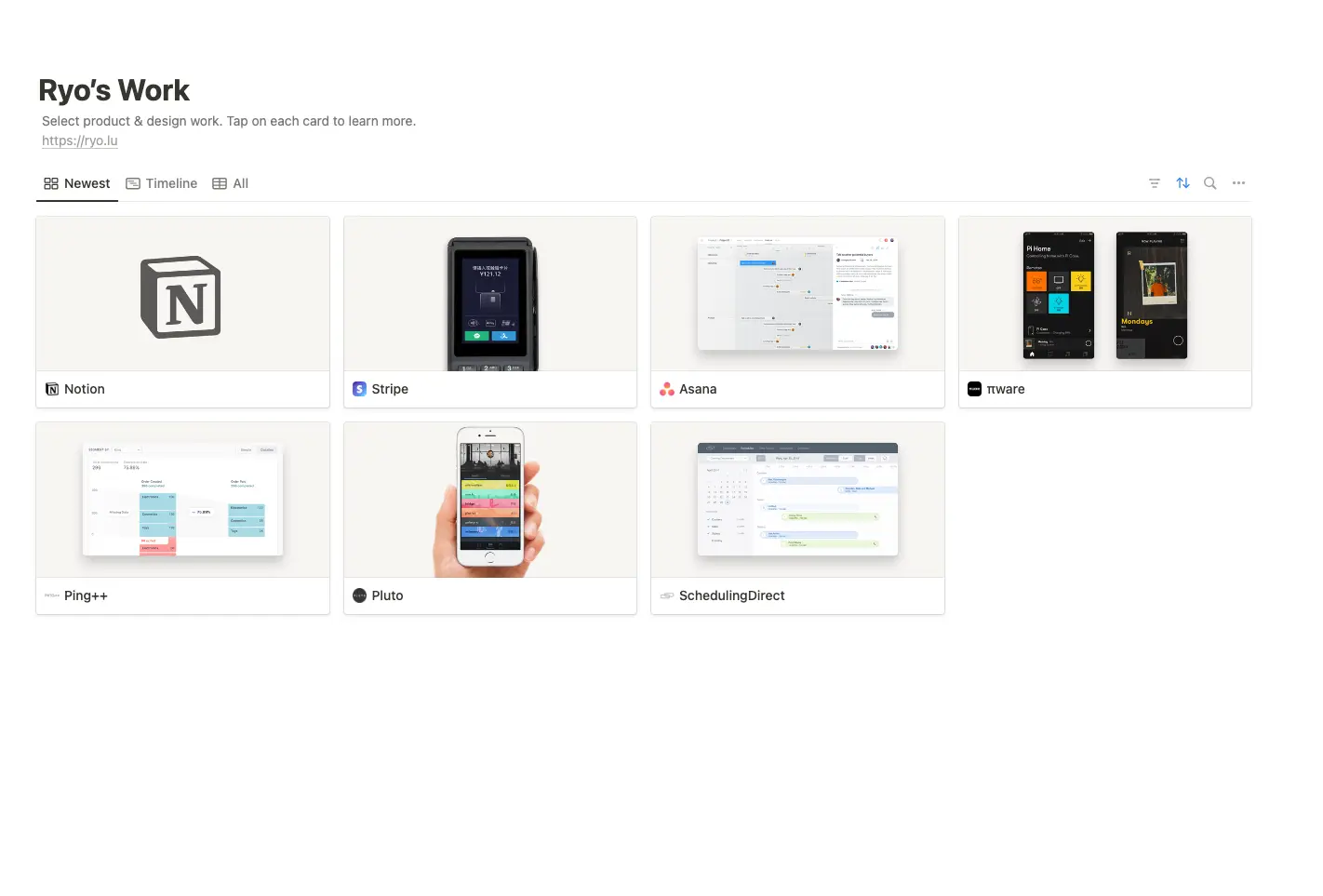
Notion Sites makes it easy to create and share a portfolio of your work. Check out this design portfolio from Notion team member Ryo Lu for an example.
Employee Handbook
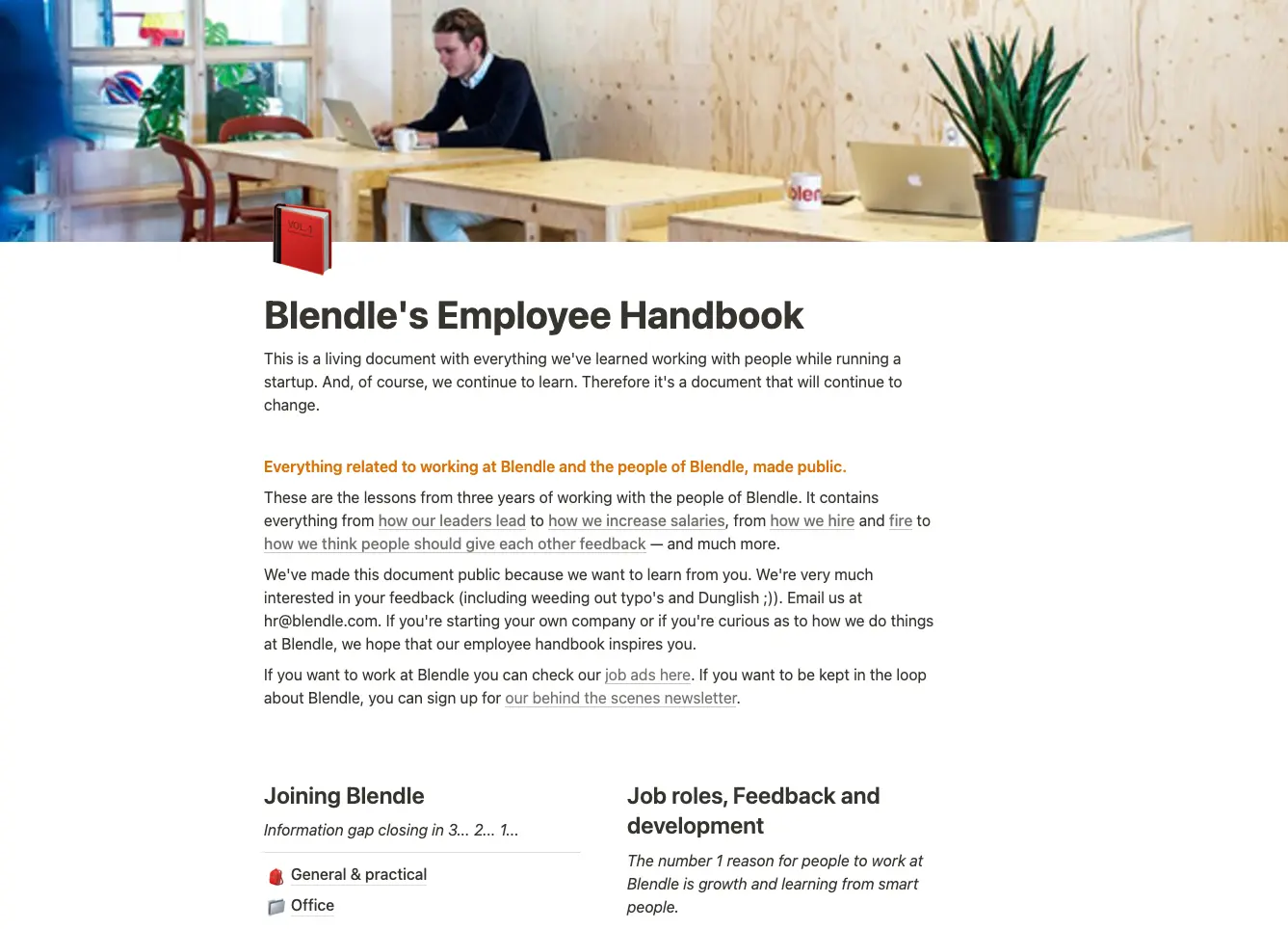
An employee handbook is another great application for Notion Sites. Just look at the public employee handbook for the periodical subscription service Blendle.
Link in Bio
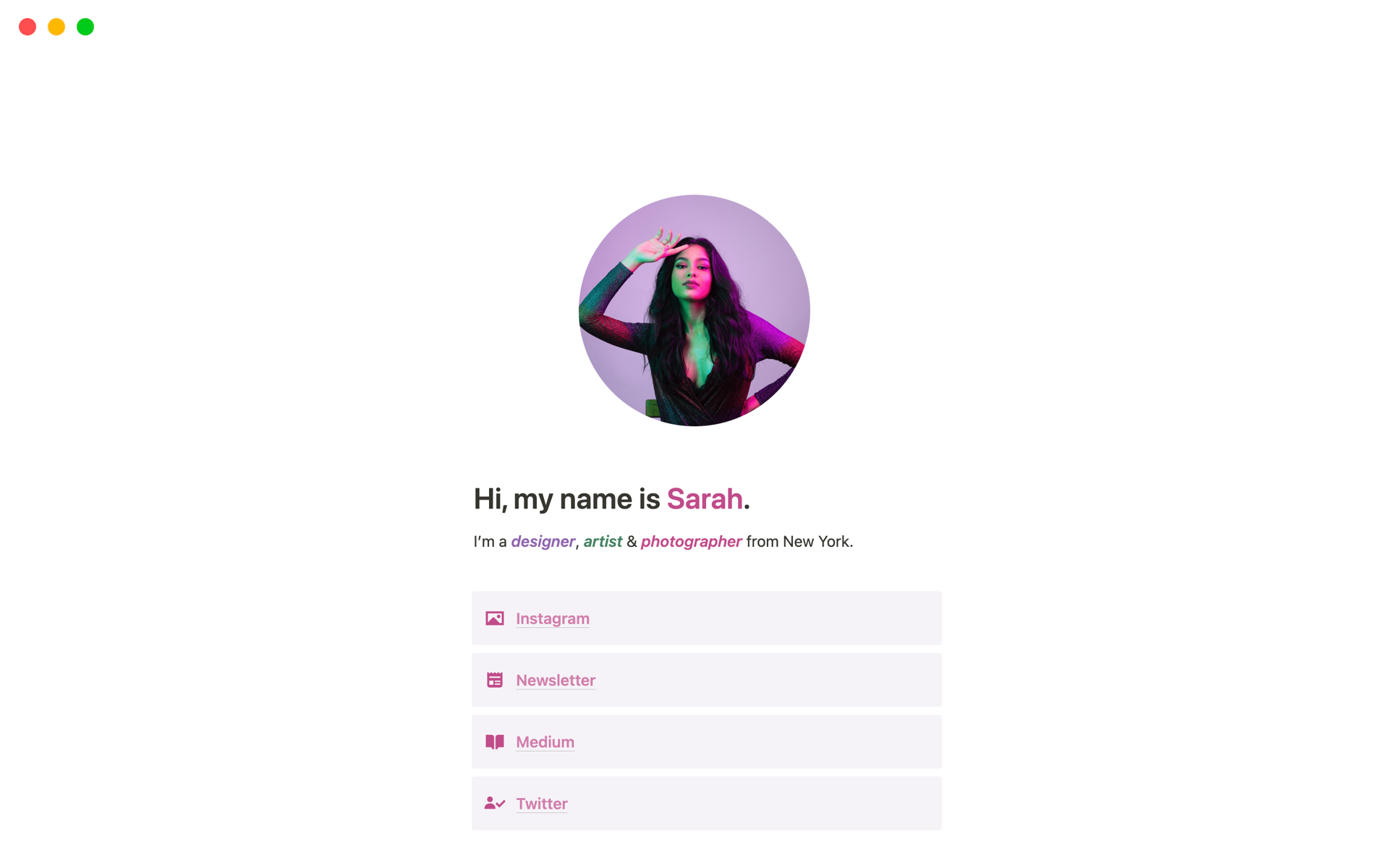
"Link in bio" sites are a great way to point social media users to your broader online presence. Notion Sites offers a simple way to build such a site, as this free link in bio template from Notion community member Burk demonstrates.
Event Website
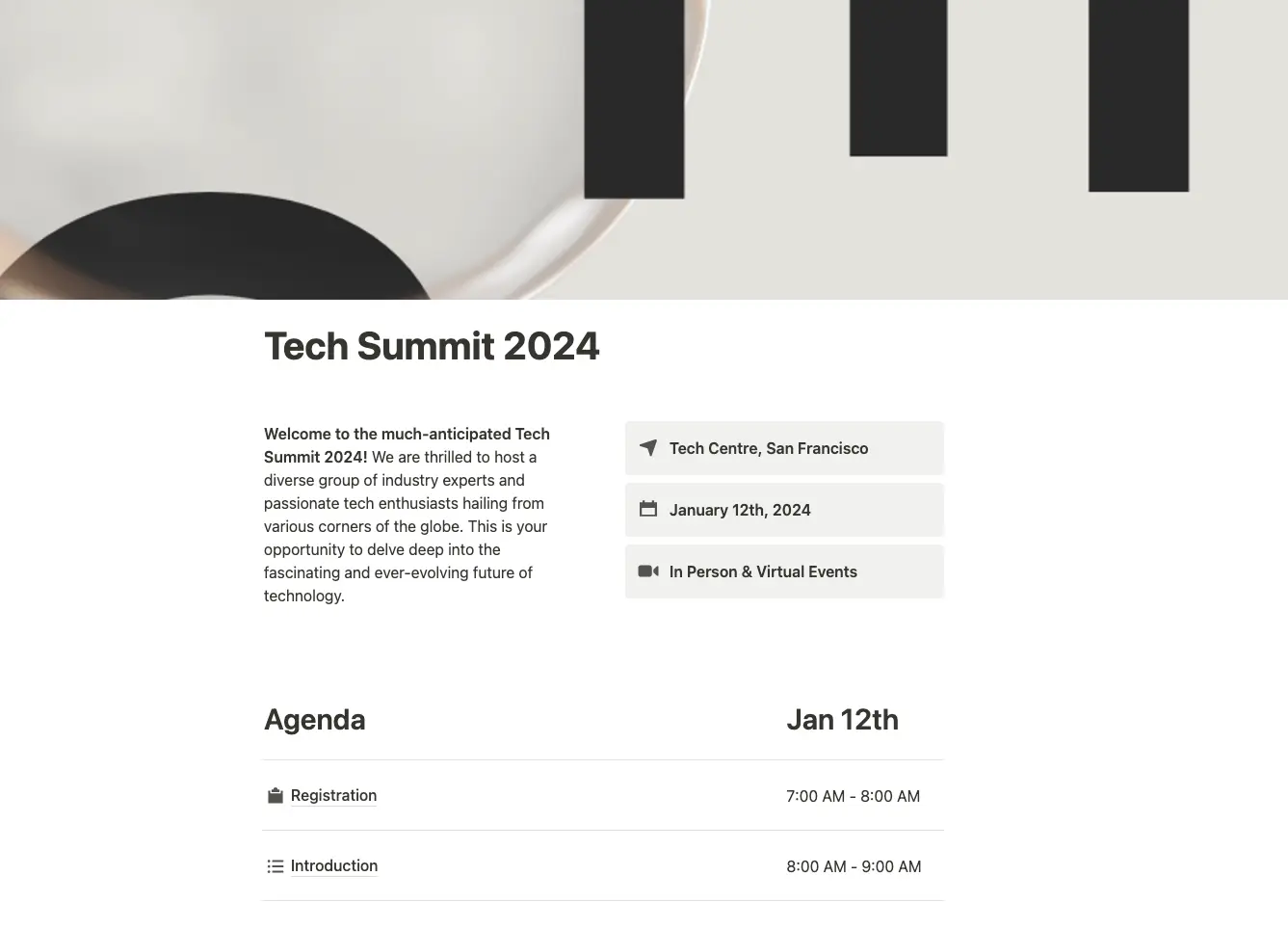
Need to spin up a website for a conference, meetup, or other event? Try this conference event page template from the Notion team.
The verdict
Notion Sites is the right tool when you want a simple site built the way you already think, and you can live without custom code or granular access controls. If you need password-protected content, per-page meta, redirects, or anything a real CMS offers, one of the third-party builders is still better.
The combination that gets overlooked: Notion Sites + Sync2Sheets. The site gets the simplicity of Notion's editor, and the data behind it stays live thanks to real-time 2-way sync with Google Sheets. KPI dashboards on your homepage, pricing tables that update from a Sheet, case-study numbers refreshed from your analytics tool. All of it without ever leaving Notion to manage content.
Install Sync2Sheets for the free 7-day trial, or read the full 2-way sync guide if you want to see what's possible first.
Frequently asked questions
Can Notion be used as a website?
Yes. Notion Sites, launched in June 2024, turns any Notion page into a real website with a custom domain, SEO meta tags, Google Analytics, navigation, and appearance settings. You build the page in Notion's block editor and publish it, no coding required, though custom HTML, CSS, and JavaScript are not supported.
How much does it cost to build a website with Notion?
Free Notion users get one notion.site domain to publish to. Most Notion Sites features require a paid plan (Notion Plus or above), starting at $10 per month billed annually. Connecting a custom domain costs an extra $8 per month per site on annual billing, or $10 per month per site on monthly billing.
What is the best Notion website builder?
It depends on your needs. Notion Sites is best for simple, no-code sites if you can skip custom code and access controls. Third-party builders add features Notion Sites lacks: Super for custom code, Potion for styled portfolios, Bullet for membership sites, Simple Ink for protected pages, and Feather for blogs.
What are the limitations of Notion Sites?
Notion Sites cannot use custom HTML, CSS, or JavaScript, and offers limited access controls with no password protection. You can only edit meta tags for the homepage, not individual subpages, and you cannot schedule posts or generate per-page sitemaps. It suits portfolios and basic sites more than large, content-heavy websites.
How is Notion Sites different from Super and Potion?
Super and Potion add features Notion Sites lacks. Super lets you add custom code to your head, body, or stylesheet, auto-generate a sitemap, and edit per-page meta tags. Potion generates SEO-friendly URLs for every page, supports password-protected sites, and allows custom CSS and fonts. Notion Sites stays simpler and no-code.
Can a Notion Sites page show live data?
Yes, by pairing Notion Sites with Sync2Sheets. Sync2Sheets keeps a Notion database in real-time 2-way sync with Google Sheets, so you can crunch numbers in Sheets, sync results back to Notion, and publish the page. KPI dashboards, pricing tables, and case-study figures stay current without leaving Notion.
Sync Notion to Google Sheets in real time
Use Sheets formulas in Notion, build dashboards, back up your databases, and compare tools. Free 7-day trial.