Notion and Google Sheets 2-Way Sync: The Complete Guide (2026)
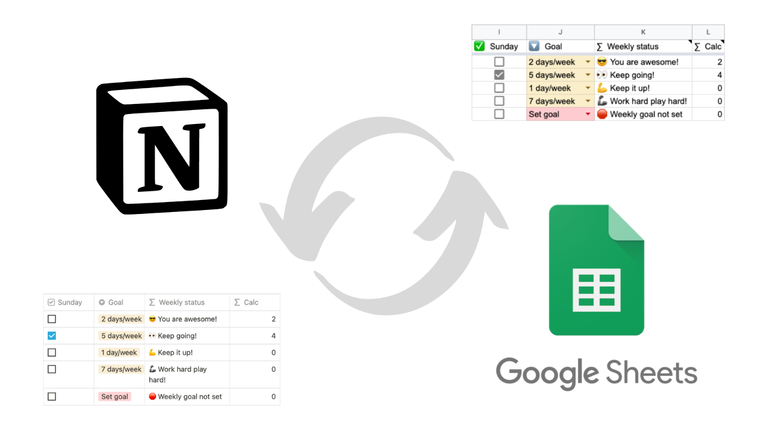
For years, "Notion to Google Sheets sync" meant pulling Notion data into a spreadsheet on a schedule. The other direction (Sheets to Notion) was either impossible or stitched together with brittle automations.
That's no longer the constraint. Sync2Sheets does real-time 2-way sync between any Notion database and a Google Sheet, with a per-column direction picker. Each column can be Notion to Sheets (the default), Sheets to Notion, or Both ways. Edits flow in seconds, in whichever direction you choose, on every plan.
The rest of this guide breaks down what each direction does, the types it works on, the setup steps, and a handful of patterns I keep seeing teams reach for. If you want the product page first, start here.
What 2-way sync between Notion and Google Sheets means
Think of every column in your Notion database as having its own little arrow. The arrow can point three ways:
- Notion Sheets. Notion edits flow to Sheets. Sheets edits to that column are overwritten on the next sync. This is the default and what most Notion-to-Sheets tools do.
- Sheets Notion. Sheets edits flow to Notion. Notion edits to that column are overwritten. This is what users of the older Sync2Sheets called an "editable column."
- Both ways. Edits in either tool flow to the other. Whichever side writes last wins (no merge prompt).
The combination is the whole game. You leave most columns on Notion to Sheets so the database stays the source of truth. You flip the few columns where Sheets is the canonical place to compute the value (formula-driven prices, calculated KPIs, web-scraped data, anything Notion formulas can't do). And you flip columns to Both ways for shared fields the team updates from whichever tool is open.
How fast is "real time"
Real time on every plan, both directions. Notion changes propagate to Sheets in seconds via Notion's official webhook API. Sheets changes propagate to Notion in seconds via Google Drive push events. A 10-minute reconciliation pass also runs as a backstop in case a push gets dropped.
This is faster than scheduled-polling tools (Dokin, Coefficient) and matches webhook-based tools (Whalesync) at a fraction of the cost. The plan-tier sync schedule (every 2 hours on Starter, 30 minutes on Advanced, 15 minutes on Business) applies only to block updates and table blocks, not to database column sync.
Which property types can go which direction
Most Notion property types support all three directions:
- Title
- Rich text
- Number (with the original Notion format preserved)
- Checkbox
- URL, Email, Phone
- Select, Multi-select, Status (with colors preserved)
- Person
- Date and date range
- Relation
- Icon (emoji only)
A few types are always Notion Sheets because they have no writable round-trip:
- Formula (Notion computes it)
- Rollup (Notion aggregates it)
- Created time / Created by
- Last edited time / Last edited by
- Unique ID
- Button
- Verification
- Files (uploads aren't supported)
The Sync2Sheets sidebar hides the direction picker for these and treats them as read-only on the Sheets side.
Setting up 2-way sync in 2 minutes
The whole flow is install → connect Notion → pick a database → pick directions.
- Install Sync2Sheets from the Google Workspace Marketplace. One click.
- Open any Google Sheet, launch the Sync2Sheets sidebar from the Extensions menu.
- Connect your Notion workspace and share the databases you want to sync.
- Pick a database. The first-sync card shows every column with a direction dropdown.
- Set each column to Notion to Sheets, Sheets to Notion, or Both ways. You can change any column's direction later from the sidebar.
- Click Start Sync. The initial sync runs immediately and from that point on, changes flow according to each column's direction.
That's the entire setup. No API keys, no separate web app, no scripts.
Five concrete use cases for 2-way sync
1. Live stock prices in a Notion portfolio
Set a "Current Price" column to Sheets Notion and drop =GOOGLEFINANCE("NASDAQ:AAPL") in the matching Sheets cell. The price lands in Notion as a normal number property and updates as the market moves. Full walkthrough: Notion portfolio guide.
2. KPIs computed in Sheets, displayed in Notion
MRR, churn, NPS, runway. Calculated with formulas in Sheets, pushed into Notion number or text properties through Sheets to Notion columns. Notion stays the front-end for the team, Sheets does the math.
3. Bulk page creation from a CSV
Have 500 contacts to add to Notion? Paste them into the synced sheet, type NEW in the Page ID column for each row, and the next sync creates 500 Notion pages with every property filled in. From there, each row's columns honor whatever direction you picked. See page creation, or the full Google Sheets to Notion migration walkthrough if you are moving a whole spreadsheet.
4. Shared status and assignee columns
For team-managed fields like Status, Owner, or Priority, set the column to Both ways. People update them from whichever tool is open. Notion stays clean for the people who live there; Sheets stays usable for the people who don't.
5. Live backup of an entire workspace
Leave every column on the default Notion Sheets. Every change in Notion captures in Sheets in seconds. If something breaks in Notion (accidental delete, bad migration, account issues), the latest state is sitting in a spreadsheet you control. Plus the audit log records every schema change.
How 2-way sync compares to other tools
If you've been using older Notion-Sheets tools, here's how the landscape shifted:
| Tool | 2-way sync | Latency | Per-column control | Price |
|---|---|---|---|---|
| Sync2Sheets | Yes, real-time | Seconds (webhooks + Drive events) | Yes, per column | $12-$40/mo |
| Dokin | No, one-way only | Hourly to weekly (polled) | N/A | Free tier, paid ~$10/mo |
| Whalesync | Yes, database-level | Minutes | No (one direction per pair) | $40+/mo |
| Coefficient | No, primarily one-way | Hourly (scheduled) | N/A | $49+/mo |
| Zapier | Trigger-based per event | Polls every 1 to 15 min | Per Zap, fragile | $19.99+/mo |
The two practical alternatives for true 2-way are Sync2Sheets and Whalesync. Whalesync is the right call if you also need Notion synced to Airtable, Webflow, or Postgres. For Notion to Google Sheets specifically, Sync2Sheets is a Workspace add-on (no separate platform), is cheaper, and gives you per-column control instead of an all-or-nothing 2-way toggle.
See the full comparison of 5 Notion to Google Sheets sync tools for more.
What happens when both sides change at the same time
There's no merge step and no conflict prompt. Whichever side writes last wins. In practice this rarely bites because each cell tends to belong to one tool at a time. If Sheets computes the value, Notion shouldn't be touching it. If Notion's the source of truth, Sheets shouldn't be overriding it.
For the rare case where two people genuinely race each other on the same Both-ways cell, the second write replaces the first. If your team needs guaranteed conflict resolution (like Git-style merge), that's not built in.
Frequently asked questions
Can I switch a column's direction later?
Yes. Open Edit Database in the sidebar and change the direction picker for any column. The next sync respects the new setting.
What if I add a new column in Notion after the initial sync?
It appears in Sheets automatically on the next sync, with the default Notion to Sheets direction. You can change it any time.
Does Sync2Sheets work with multiple databases?
Yes. Each database is configured independently. Starter plan supports 3 databases, Advanced 10, Business unlimited. See pricing.
What's the difference between Sheets to Notion columns and what Sync2Sheets used to call "editable columns"?
They're the same feature. The new terminology matches the unified 2-way sync engine, and "Sheets to Notion" is now one of three direction choices rather than a separate flow.
Is this different from Notion's native database sync?
Yes. Notion's built-in sync connects Notion databases to other Notion databases. Sync2Sheets connects a Notion database to a Google Sheet, in real time, in both directions.
Where to start
If you've never set up Sync2Sheets, install the add-on and follow the first-sync card. Setup is under 2 minutes per database.
If you're already a user from before 2-way sync went live, the per-column picker is already in your sidebar. Open Edit Database for any synced database and flip directions as needed.
For deeper context:
Sync Notion to Google Sheets in real time
Use Sheets formulas in Notion, build dashboards, back up your databases, and compare tools. Free 7-day trial.