How to Embed a Google Sheet in Notion (2026)
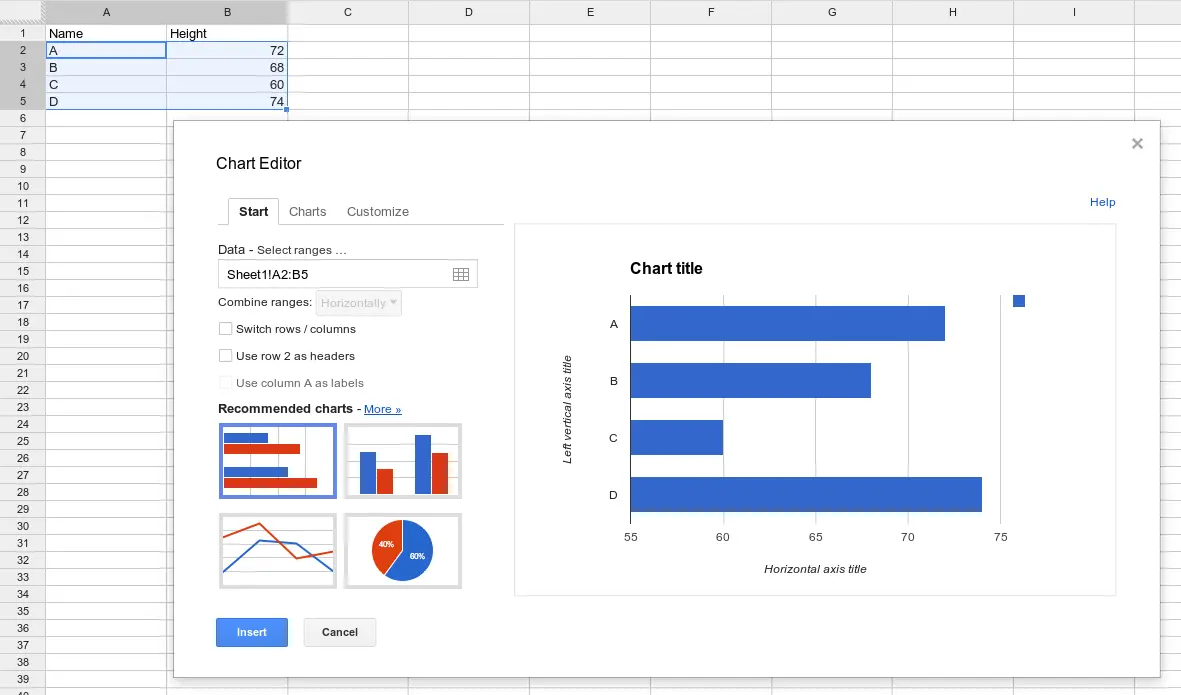
Embedding a Google Sheet in Notion in short: Paste a shared Google Sheets link into a Notion page and choose Embed (or use /embed). That gives you a read-only preview, not real Notion data. To make it live, sync the database with Sync2Sheets so the data is native in Notion and embed Google Sheets charts that update automatically.
Notion is good for notes and lightweight databases. Google Sheets is where the number-crunching happens: pivots, charts, formulas. Sooner or later you want both in the same place, which is why people search for how to put a Google Sheet in Notion. There are two honest ways to do it, and they solve different problems.
Can you embed Google Sheets into Notion natively?
Yes, Notion has a built-in embed for this, and it takes about ten seconds.
How to embed a Google Sheet in Notion
- Open your sheet in Google Sheets and click Share (top right).
- Set access to Anyone with the link can view, then copy the link.
- In Notion, open the page and paste the link where you want the sheet.
- Notion offers a few options. Choose Embed.
That's it. You can also type /embed first, press Enter, then paste the link. Either way Notion renders a preview of the sheet right inside the page, and you can drag the bottom edge to resize it.
The real limitations of the native embed
The native embed works, but know what you are getting before you build a page around it:
- It is a static iframe, not Notion data. The sheet shows up as an embedded preview. You cannot filter it, sort it, group it, or reference it from a Notion formula. It is a window into the spreadsheet, nothing more.
- The sheet must be shared. If access is set to restricted, Notion cannot load it and the embed shows up blank. That is the number one reason an embed fails to render.
- It is read-only and clunky on mobile. You cannot edit cells from inside Notion, and the embedded iframe is awkward to scroll and pinch on phones and tablets.
For dropping a reference table onto a page, the native embed is fine. For anything you actually want to work with, it falls short.
Native embed vs Sync2Sheets
Here is how the built-in Notion embed compares to syncing your data with Sync2Sheets.
| Capability | Native Notion embed | Sync2Sheets |
|---|---|---|
| Setup time | Seconds | A few minutes (one time) |
| Data lives as | Static iframe preview | Real Notion database rows |
| Filter, sort, group in Notion | No | Yes |
| Editable | Read-only | Real-time, both directions |
| Sharing requirement | Sheet must be public to the link | No public link needed |
| Embed charts back in Notion | No | Yes, live and auto-updating |
| Mobile experience | Clunky iframe | Native Notion |
How to make a Google Sheet live and native in Notion
If you want the data to behave like part of Notion rather than a picture of a spreadsheet, sync it instead of embedding it. Sync2Sheets is a Google Workspace add-on that keeps a Notion database and a Google Sheet in sync in real time, in both directions. It has 184,000+ installs and a 4.4 rating.
Because the sync is real and 2-way, the data stays native on both sides. Your Notion database is still a Notion database (filter it, sort it, group it, reference it in formulas), and your Google Sheet has the same rows for pivots and analysis. You set the direction per column: Notion to Sheets, Sheets to Notion, or both ways. Changes propagate within seconds.
Embed live Google Sheets charts back into Notion
Once your data is synced, you can build any chart in Google Sheets from the synced rows, then embed that chart back into a Notion page. Because the chart sits on live data, it updates as your Notion database changes. No re-export, no stale screenshots. See charts for the full rundown.
If you prefer numbers over visuals, table blocks sync a range from your sheet into a native Notion simple table. That is ideal for pivot summaries and rolled-up totals that plain Notion databases cannot produce on their own. The Notion table refreshes as the underlying data moves.
So Notion stays the source of truth for your records, Google Sheets does the heavy analysis, and the charts and summaries you embed in Notion stay current on their own.
When to use each approach
- Native embed: a quick, read-only reference table on a page, when you do not need to interact with the data and the sheet is already shared.
- Sync2Sheets: anytime you want the data to be native in Notion, editable both ways, or paired with live charts and pivot summaries that update on their own.
If you want the rows themselves inside a Notion database rather than a preview, see Google Sheets to Notion: embed, import, or sync, which covers the one-time CSV import and turning each row into a Notion page.
Pricing
Sync2Sheets pricing is flat, not per user, so the whole team shares one plan:
| Plan | Annual | Monthly |
|---|---|---|
| Starter | $12/mo | $15/mo |
| Advanced | $19/mo | $23/mo |
| Business | $40/mo | $49/mo |
Every plan starts with a free 7-day trial, no credit card required.
Ready to make your Google Sheet live in Notion?
The native embed is a fine ten-second trick for a static reference, but it never becomes real Notion data. If you want a Google Sheet that is native in Notion, editable both ways, and able to push live charts and pivot tables back into your pages, sync your Notion database with Google Sheets using Sync2Sheets. Try it free for seven days, no credit card needed.
Frequently asked questions
Can you embed Google Sheets into Notion?
Yes. Paste a Google Sheets share link into a Notion page and choose Embed, or type /embed and paste the link. The sheet must be shared so Notion can render it. This drops in a static iframe preview, not real Notion data, so you cannot filter or sort it as a Notion database.
How do I embed a Google Sheet in Notion?
Open the sheet in Google Sheets, click Share, set access so anyone with the link can view, and copy the link. In Notion, paste the link onto a page and select Embed, or use the /embed command first. Notion shows a live preview of the sheet inside the page.
Why is my embedded Google Sheet not showing in Notion?
The most common cause is sharing. If the sheet is private, Notion cannot load it and the embed stays blank. Open Share in Google Sheets and set access to anyone with the link can view. Restricted sheets, expired links, or browser sign-in issues also block the embed.
Does an embedded Google Sheet update in Notion?
The native embed reflects the latest sheet content when the page loads, but it is still a read-only iframe. You cannot edit cells, filter, or sort it inside Notion. For data you can work with in Notion, sync the database with Google Sheets and embed live charts back into the page.
How do I make a Google Sheet live and native inside Notion?
Use Sync2Sheets to sync a Notion database with a Google Sheet in real time. Edits flow both ways within seconds, so the data is native in Notion. You can also embed live Google Sheets charts and table summaries back into Notion pages, and they refresh automatically as the data changes.
Can I embed a Google Sheets chart in Notion?
Yes. Build any chart from your synced data in Google Sheets, then embed it back into a Notion page with Sync2Sheets. The chart updates automatically as the underlying Notion data changes, which is useful for dashboards, KPIs, and pivot summaries that plain Notion cannot render.
Sync Notion to Google Sheets in real time
Use Sheets formulas in Notion, build dashboards, back up your databases, and compare tools. Free 7-day trial.