10 Best Notion Project Management Templates (Free, 2026 Picks)
The best Notion project management templates in short: There is no universal winner, since the right template depends on how you work. Solo users do well with Project Tracker or Minimalist Project Manager, freelancers with clients suit Projects Manager, and Agile teams should start with the Projects and Tasks template built by Notion.
You can build a project management system in Notion from scratch. You probably shouldn't. The community has already done it, better, ten times over, for free.
Notion ships a few basic templates, but they stop at the obvious: task list, status, due date. The good stuff, Agile metrics, client CRMs, time tracking, burndown, lives in community templates.
Below are ten I keep coming back to. Minimalist to heavy, solo to team, freelancer to agency. If you want live dashboards or burndown charts on top of any of these, Sync2Sheets mirrors the database to Google Sheets in real time.
1. Ultimate Tasks
Creator: Thomas Frank
Price: Free
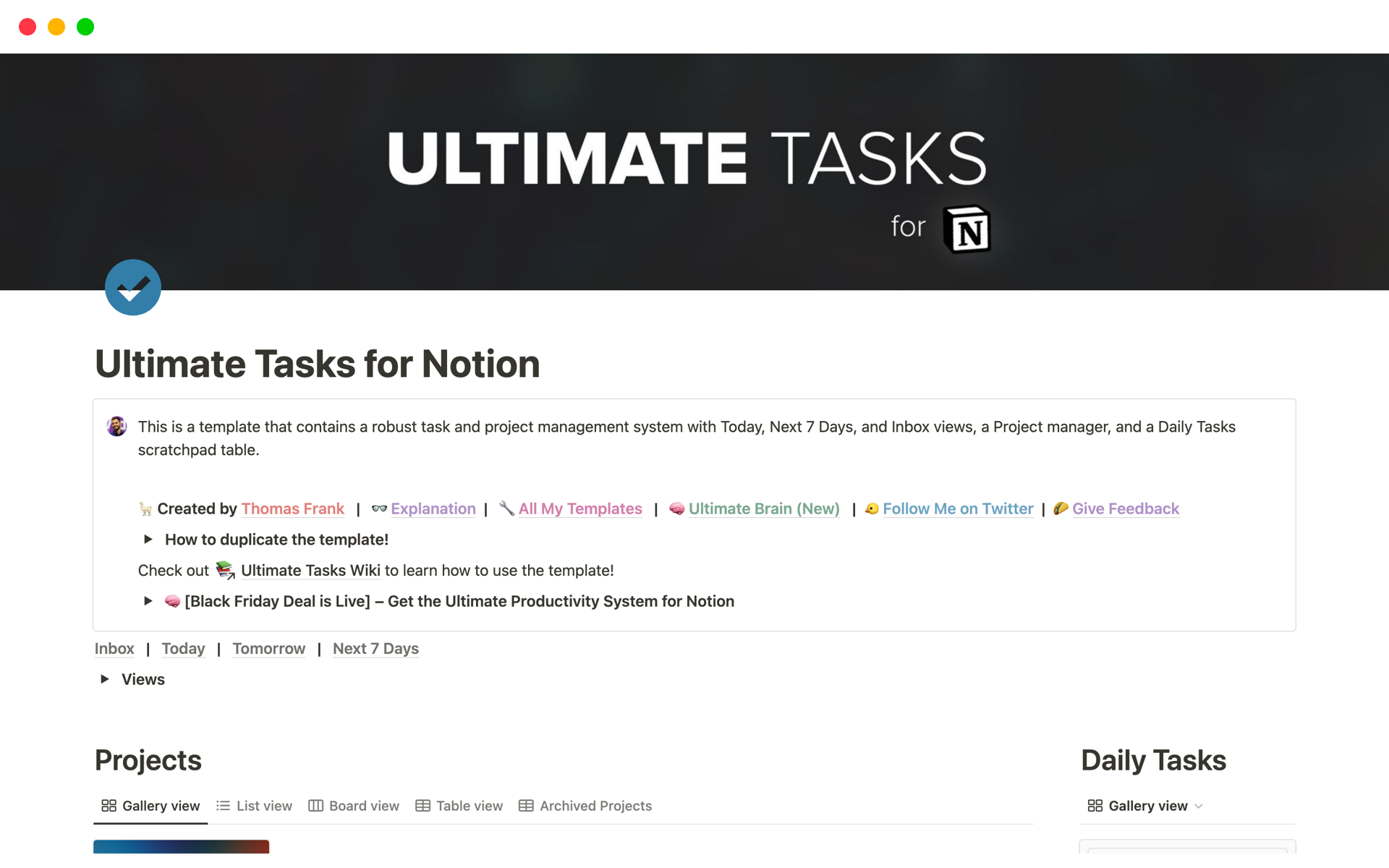
This template focuses on replicating the task management features you'd find in apps like Todoist, Asana, or Monday.
So if you're missing features like task priorities, recurring tasks, and smart task views like "next 7 days", Ultimate Tasks is a great choice.
Ultimate Tasks also comes with a built-in kanban project template, tagging, and a "cold tasks" feature that automatically hides inactive tasks.
2. Project Management
Creator: iamsourabhshen
Price: Free
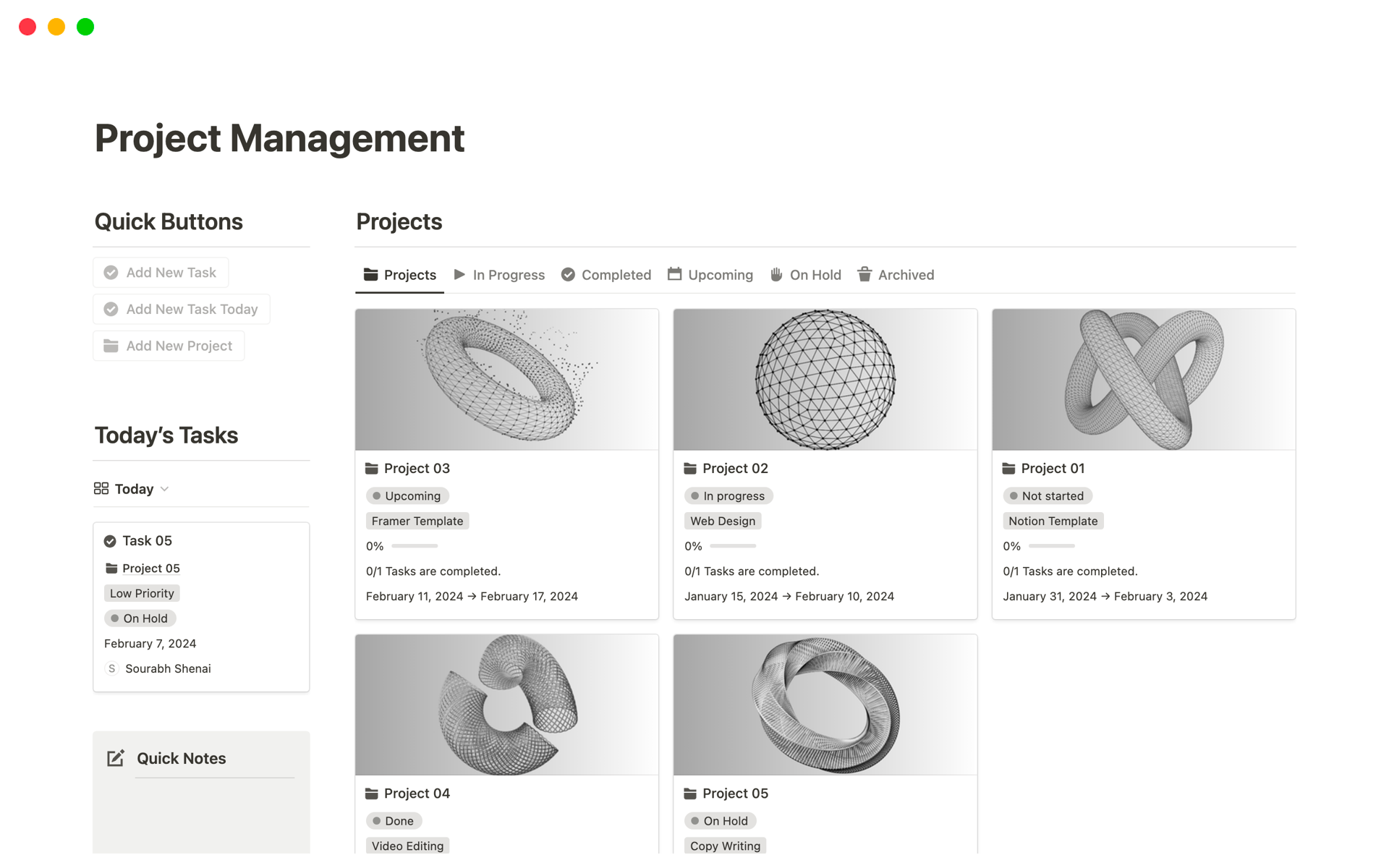
Our next template includes everything you need to manage projects for yourself or a small team.
Filter views are at the core of this template, letting you sort your projects by in-progress, completed, upcoming, and on-hold statuses.
Additional handy features include a section to jot down quick notes, built-in calendar and timeline views, and a quick add button for tasks and projects.
3. Project Management 2.0
Creator: Gerrard Lipscombe
Price: Free
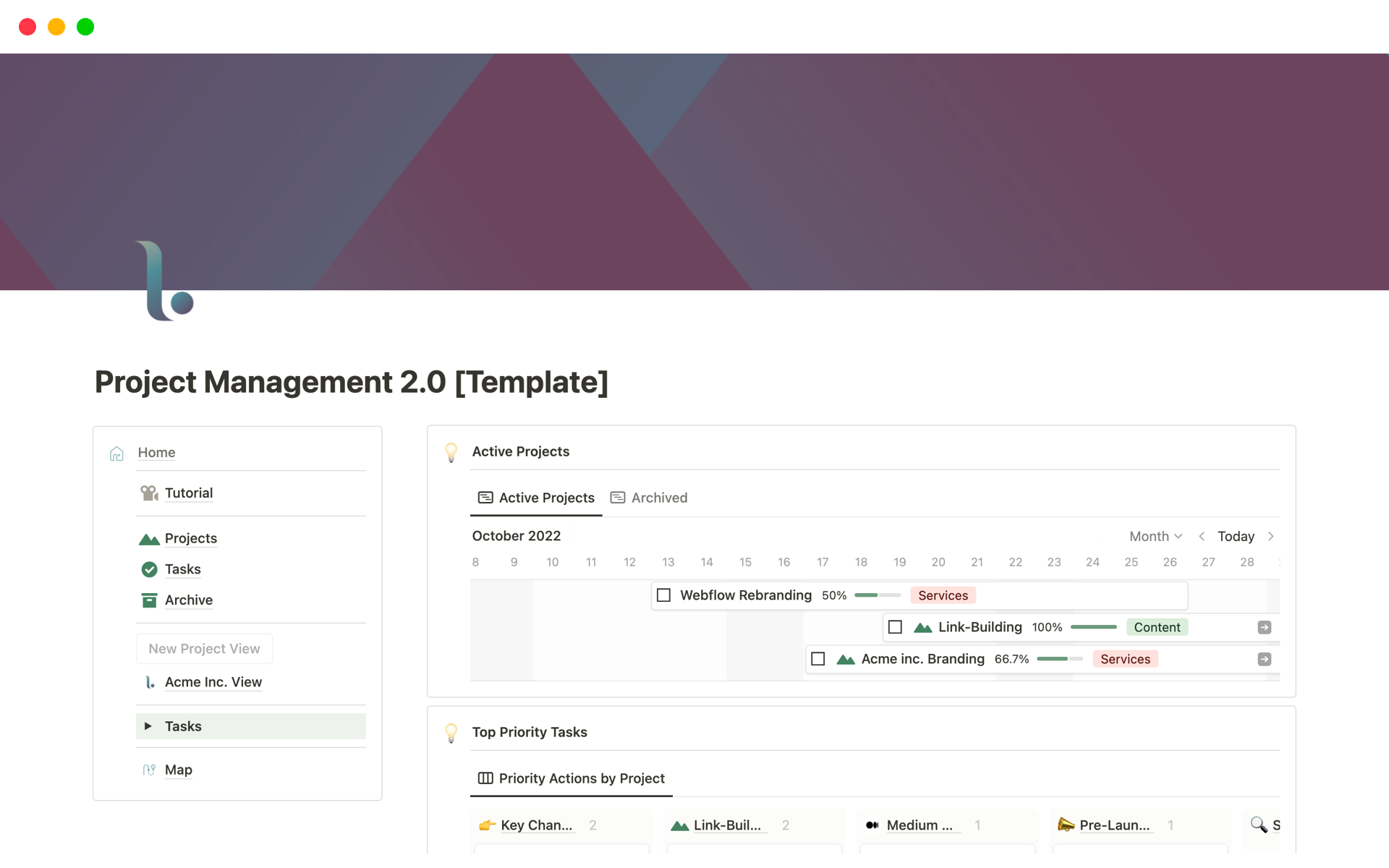
Project Management 2.0 is an excellent template for staying focused, letting you view your most important work in a single glance.
The heart of this system is its timeline, which displays all of your active projects. Beneath the timeline, you also get a view that shows your highest-priority tasks sorted by project.
4. Projects Manager
Creator: Notion4Business
Price: Free (requires download via Gumroad with "name your price" option)
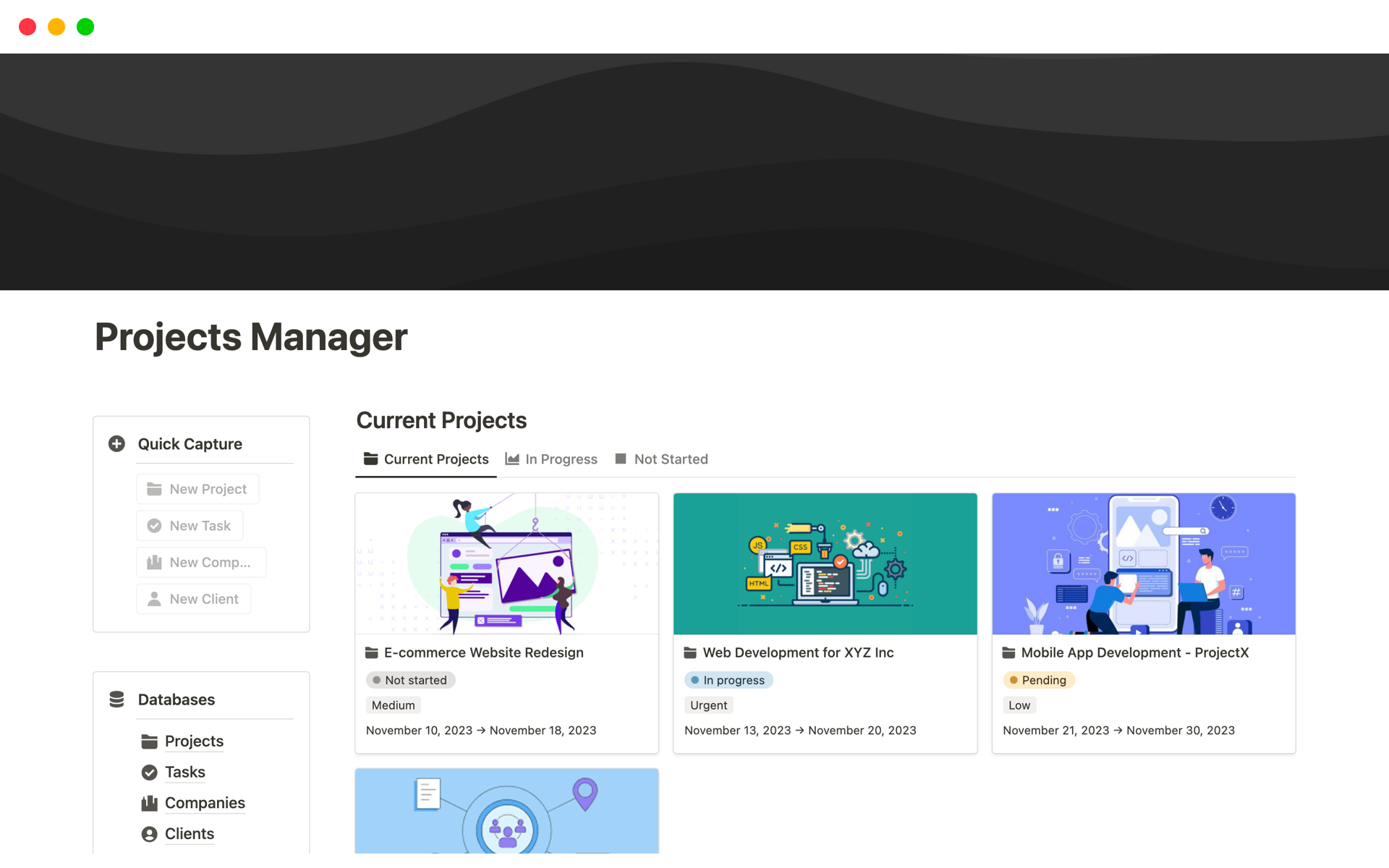
Projects Manager includes all the task and project management tools you'd expect, plus some extra features that are helpful for freelancers and consultants.
Like other templates on this list, the main dashboard shows your current projects and tasks, along with a calendar view and project timelines.
However, this template also includes databases for both companies and clients. This means you can use Projects Manager as a basic CRM, as well as associate projects with specific companies or clients.
5. Projects & Tasks
Creator: Notion
Price: Free
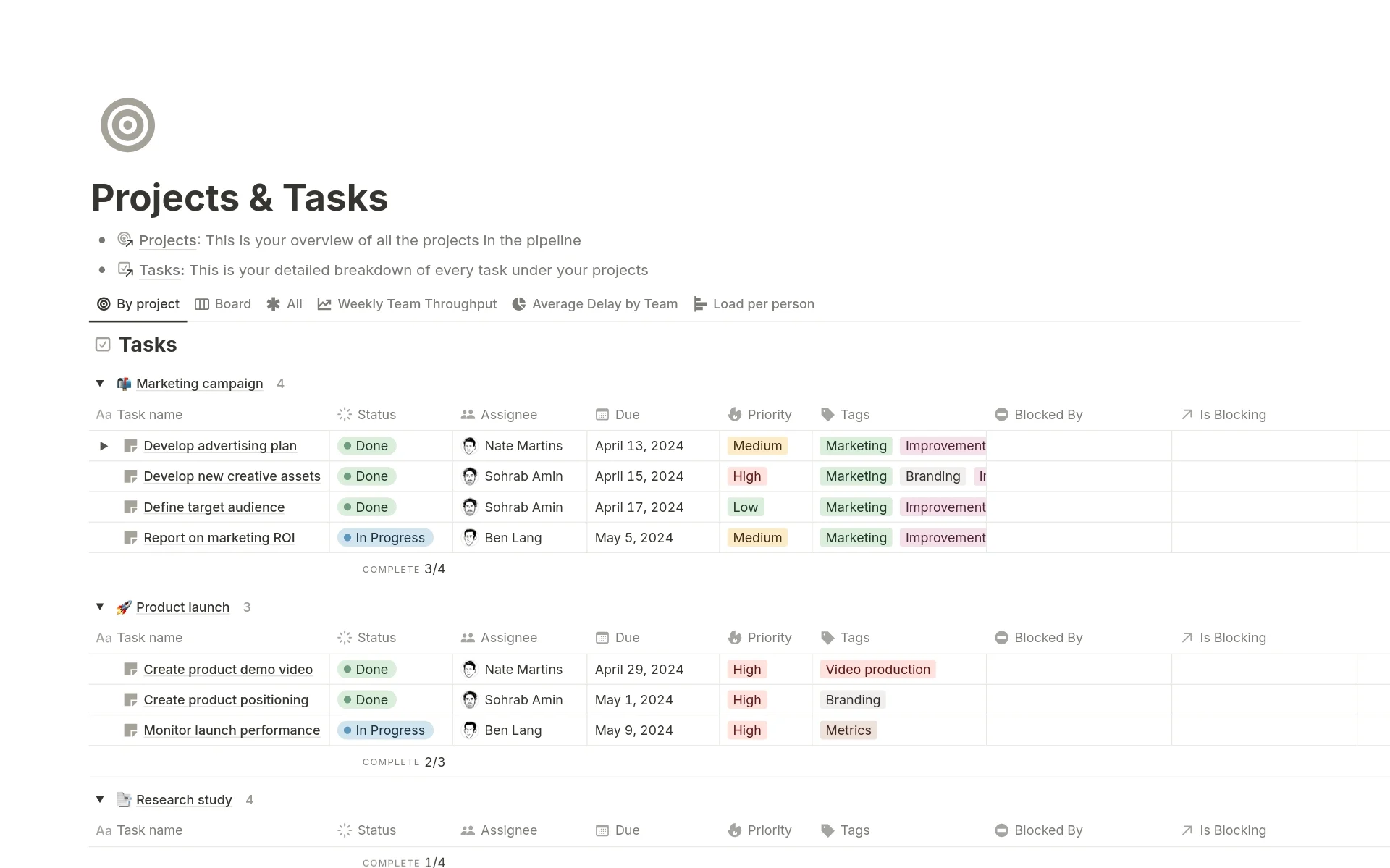
Projects & Tasks is a template created by the Notion team. Since it's meant to showcase Notion's features, it packs a lot into one template.
This template is especially useful for project managers using an Agile methodology. It includes views for Agile metrics such as weekly team throughput, load per person, and average delay by team.
Additionally, Projects & Tasks uses Notion charts to attractively display your project data, letting you visualize everything in a single dashboard.
6. Project Management
Creator: Smart Notion
Price: Free
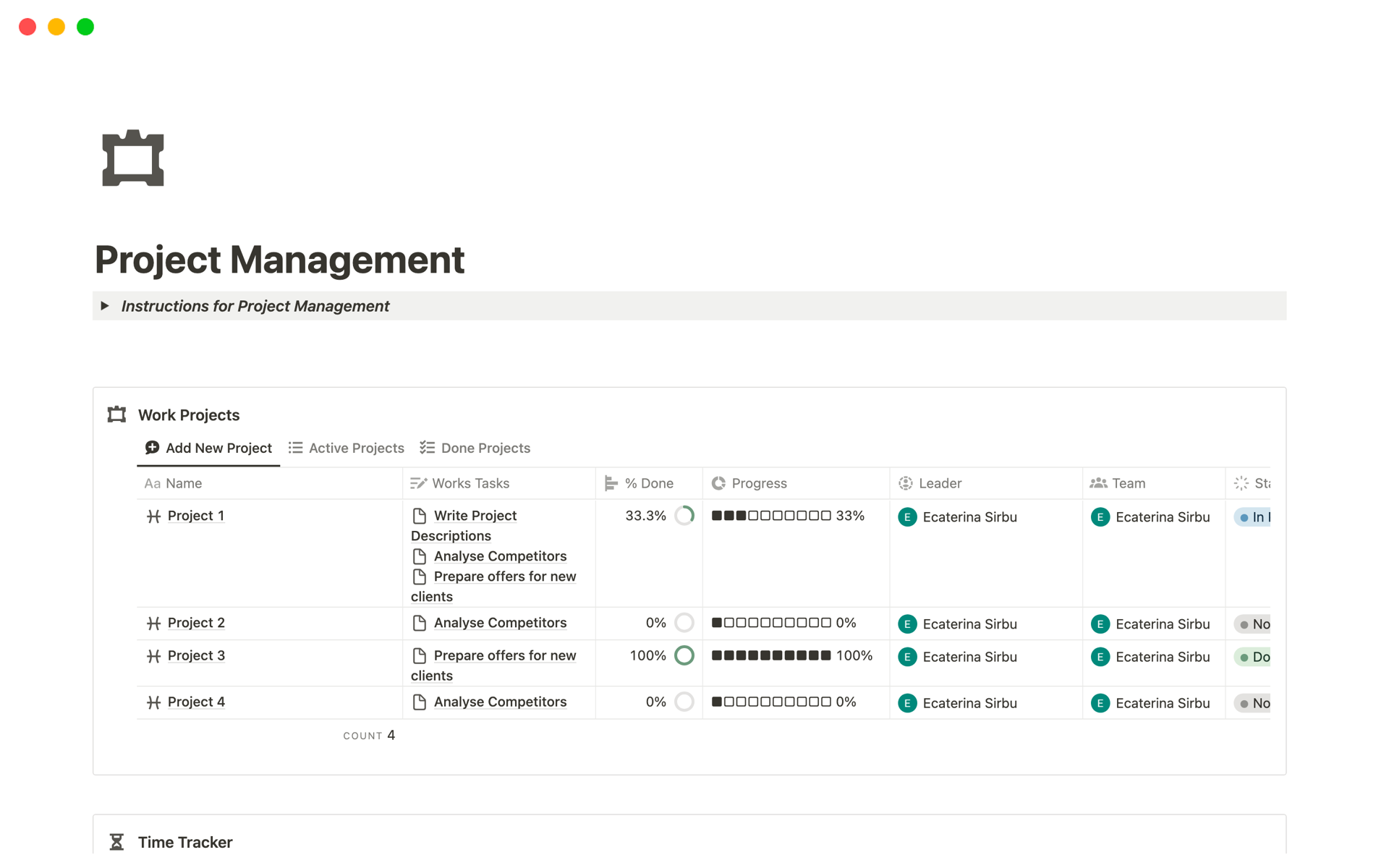
This template offers a well-rounded project management experience with a couple of standout features.
To start, you can view the status of each of your projects at a glance using donut charts and progress bars. You can also set task statuses and priorities, plus view your projects on both a calendar and a timeline.
Notably, the Project Management template includes both time tracking and timesheets. This makes it handy for freelancers who bill by the hour or managers trying to keep an eye on employee productivity.
7. Projects and Tasks 2024
Creator: Grzesiek | Fibon
Price: Free
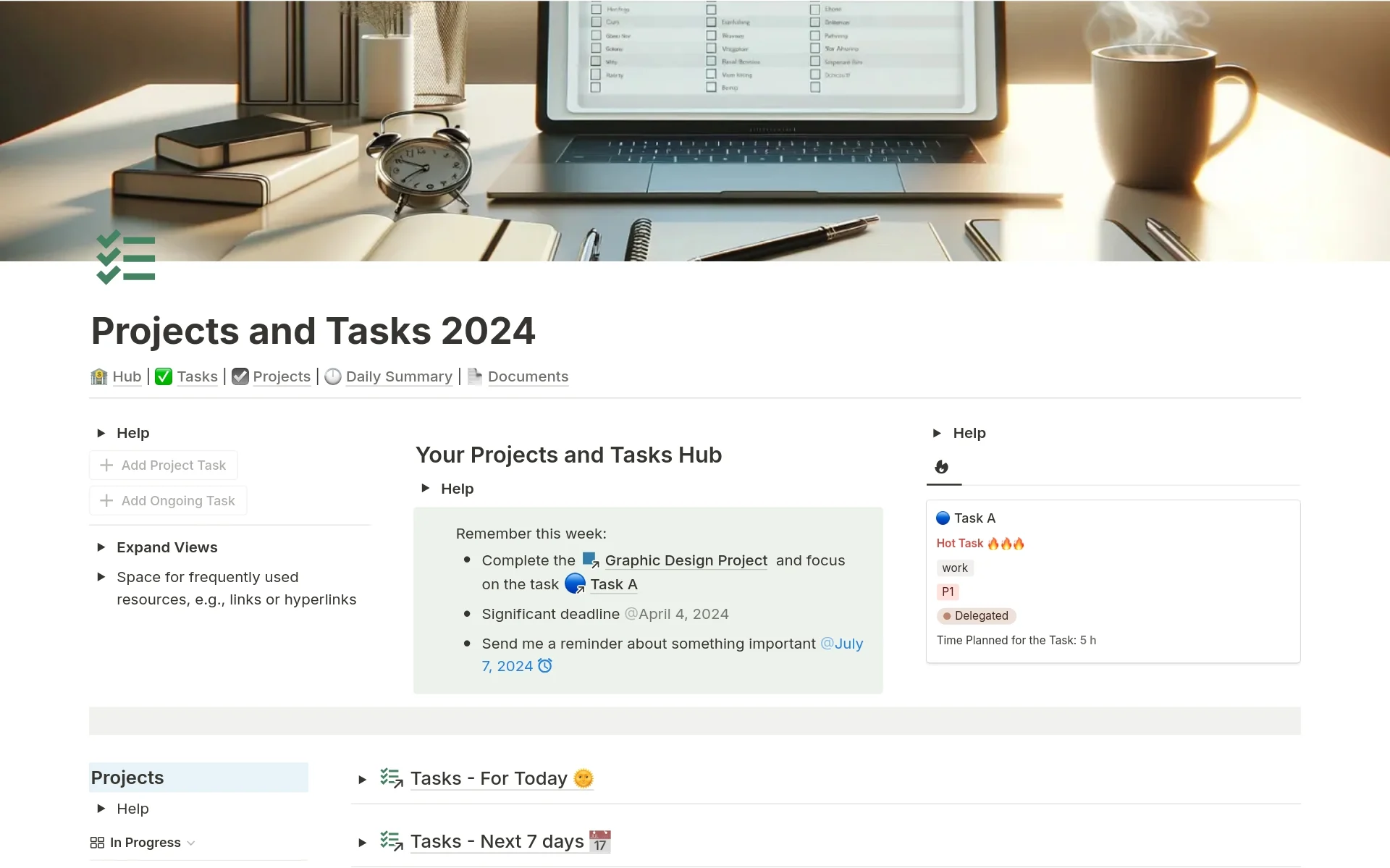
Projects and Tasks 2024 offers a powerful hub for managing all that you have going on.
The daily summary view helps you plan your workday, while the quick add buttons let you create new tasks on the fly.
Additionally, the built-in checklist section helps you track smaller tasks that don't need a dedicated task item.
The documents database is also helpful, offering a place to store PDFs, links to external resources, and other supporting project documents.
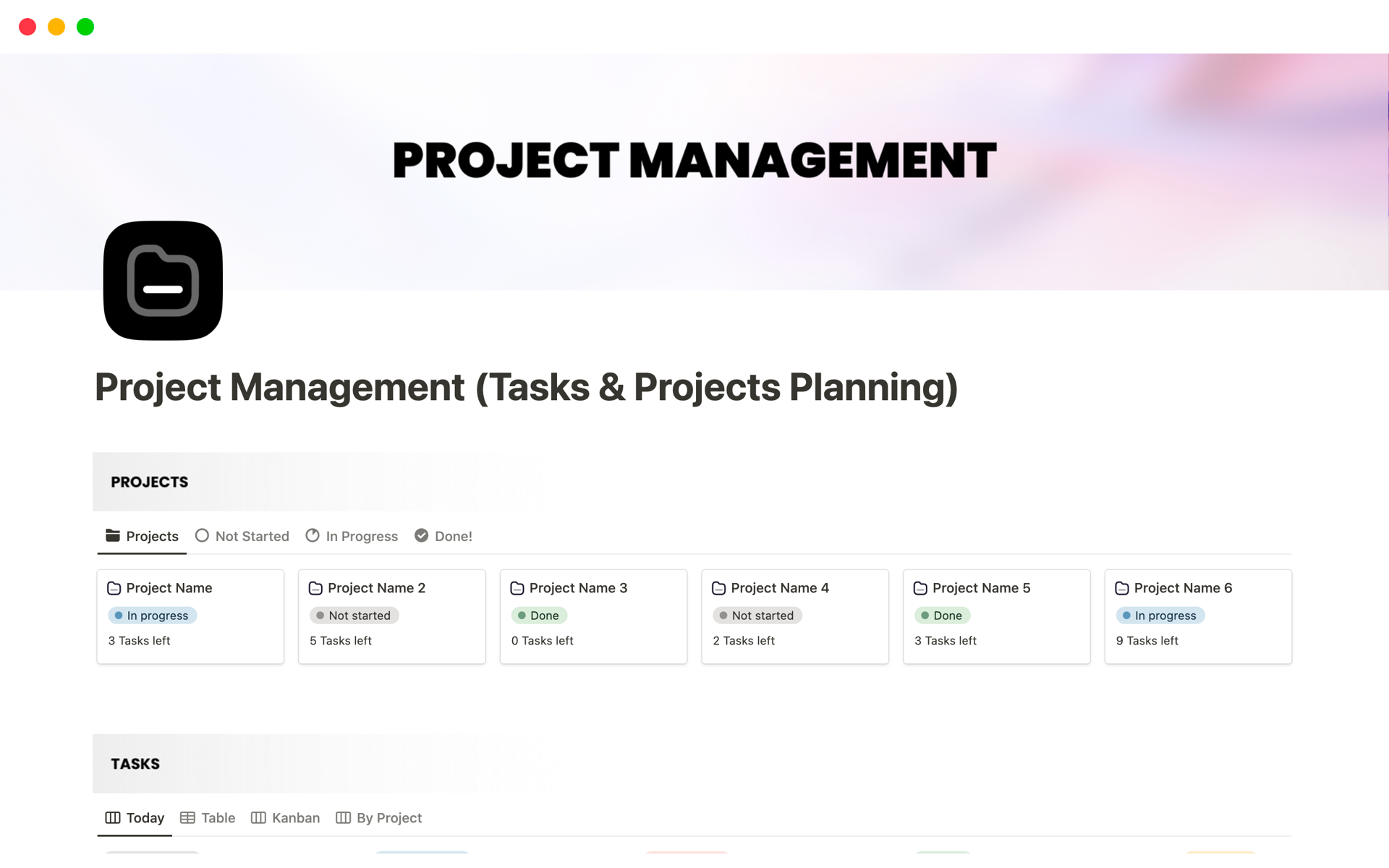
8. Project Management (Tasks & Projects Planning)
Creator: mrpugo
Price: Free (requires download via Gumroad with "name your price" option)
This next template is more minimalist than some of the other options on the list, but that might be just what you're searching for.
Beyond its distinct projects and tasks sections, this template includes lots of ways to visualize your workload. Choose between table, kanban, per project, and Today views.
You also get a timeline to help you see project dependencies and spot scheduling issues before they become a problem.
Get Project Management (Tasks & Projects Planning).
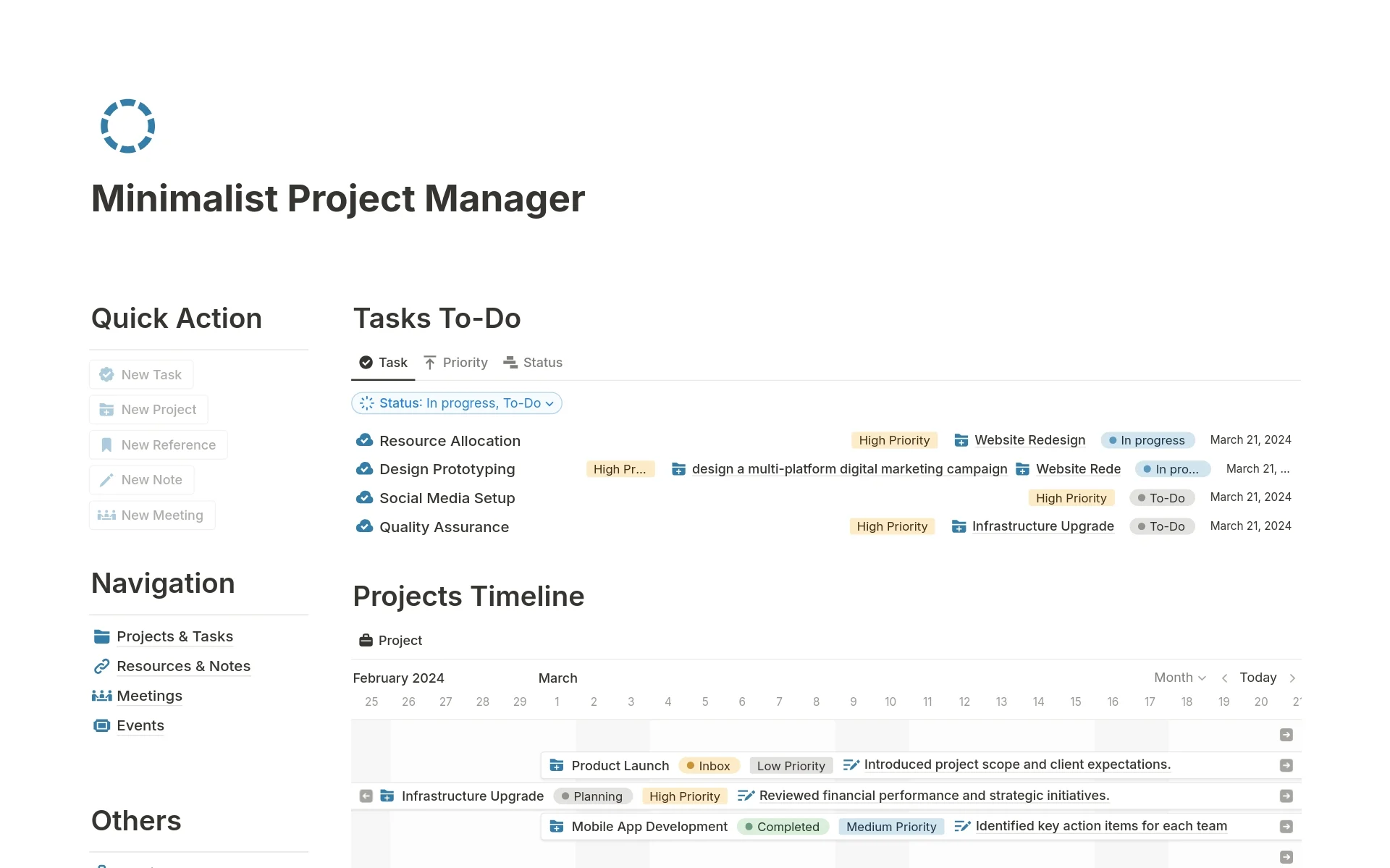
9. Minimalist Project Manager
Creator: heyismail
Price: Free (requires download via Gumroad with "name your price" option)
While this template focuses on simplicity, it still packs a lot of power.
The quick capture buttons are handy for adding tasks as you think of them, while the project timeline makes even dozens of projects easy to visualize. The space for project notes and supporting resources is also helpful, particularly on long projects.
Lastly, the built-in CRM means you can also use this template to manage your contacts and store data on other companies you work with.
Get Minimalist Project Manager.
Looking for more CRM solutions? Check out our guide to the best Notion CRM templates.
10. Project Tracker
Creator: Matthew Encina
Price: Free
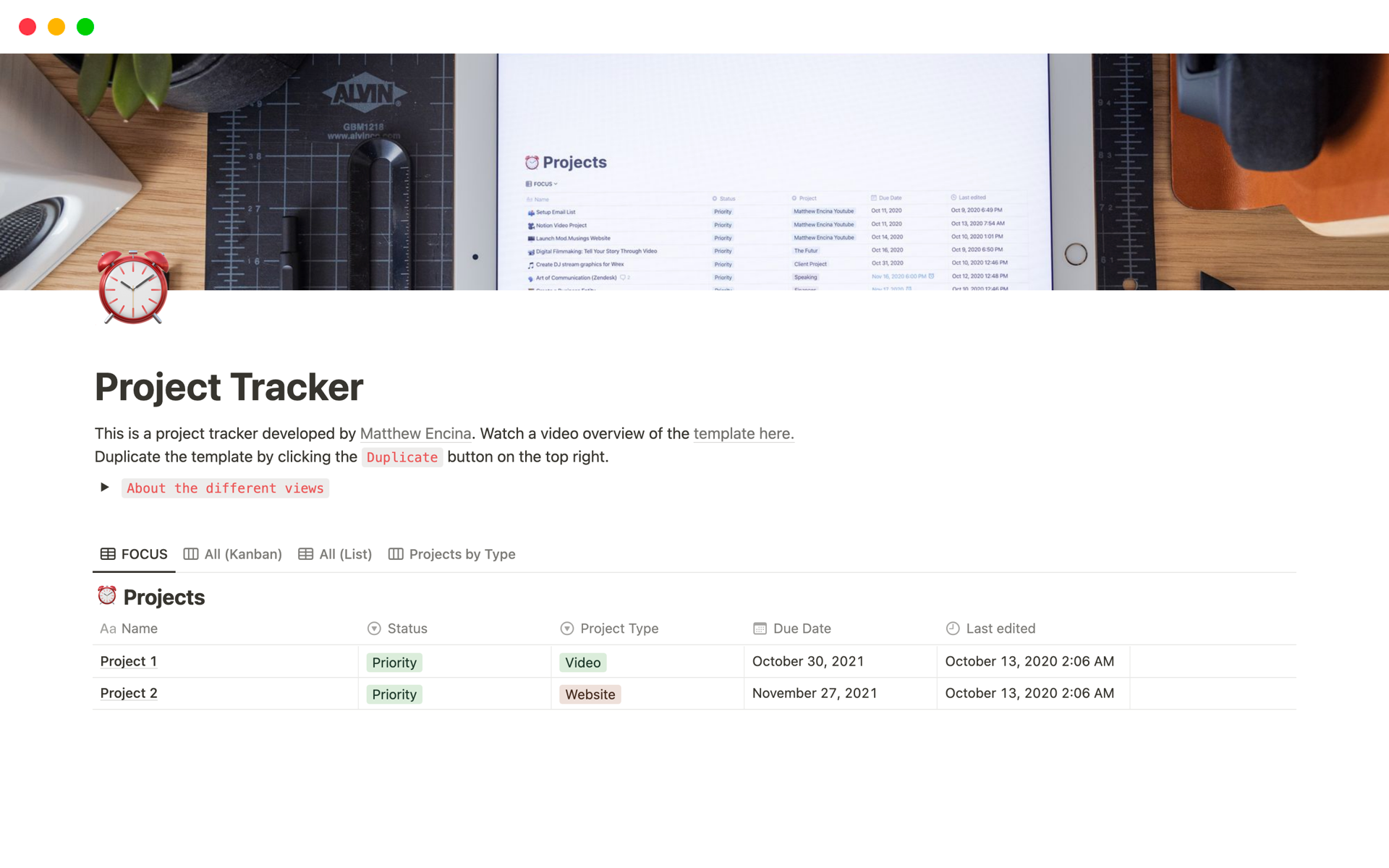
If some of the other options on this list are "minimalist" project management templates, then this last one is "ultra-minimalist".
Project Tracker includes only the most basic info you need to manage your projects and tasks, helping you stay focused on your work above all.
The default view is called "FOCUS", and it shows only your high-priority projects. However, you can also view your projects by type, on a kanban board, or just as a basic list.
Which one should you pick?
Short version: start minimal, grow into complexity. If you're solo, Project Tracker or Minimalist Project Manager. Freelancer with clients, Projects Manager. Agile team, Projects & Tasks from Notion. Everything else is variations on those three.
For reference, all ten again:
- Ultimate Tasks by Thomas Frank
- Project Management by iamsourabhshen
- Project Management 2.0 by Gerrard Lipscombe
- Projects Manager by Notion4Business
- Projects & Tasks by Notion
- Project Management by Smart Notion
- Projects and Tasks 2024 by Grzesiek | Fibon
- Project Management (Tasks & Projects Planning) by mrpugo
- Minimalist Project Manager by heyismail
- Project Tracker by Matthew Encina
Have a favorite Notion project management template we didn't cover? Share it with us on X!
Frequently asked questions
What is the best Notion template for project management?
There is no single best Notion project management template, since the right pick depends on your setup. For solo work, Project Tracker or Minimalist Project Manager are clean choices. Freelancers with clients do well with Projects Manager, and Agile teams suit the Projects and Tasks template built by Notion.
Are these Notion project management templates free?
Yes, all ten Notion project management templates in this list are free to use. A few are distributed through Gumroad with a name your price option, which means you can set the amount to zero and download them at no cost. Most others install directly from the Notion template gallery.
Which Notion template is best for Agile teams?
The Projects and Tasks template created by the Notion team is the strongest pick for Agile teams. It includes views for Agile metrics like weekly team throughput, load per person, and average delay by team, and it uses Notion charts to visualize everything in a single project dashboard.
Can I add Gantt charts or budget formulas to a Notion project template?
Notion supports timeline views but lacks true Gantt charts, advanced formulas, and pivot tables. To add those, sync your Notion project database to Google Sheets in real time with Sync2Sheets, then build Gantt timelines, budget formulas, and reporting charts in Sheets. Plans start at 12 dollars per month with a free 7-day trial.
What features make a good Notion project management setup?
A solid Notion project management setup includes task statuses and priorities, due dates, calendar and timeline views, and a clear dashboard showing current work at a glance. Stronger templates add CRM databases, time tracking, quick add buttons, and Agile metrics so teams can plan, track, and report without leaving Notion.
How do I choose between minimalist and full-featured Notion templates?
Start minimal and grow into complexity. If you only need to track tasks and projects, a minimalist template like Project Tracker keeps you focused. Choose a full-featured option when you need client CRMs, time tracking, or Agile metrics. It is easier to add structure later than to strip away features you never use.
Sync Notion to Google Sheets in real time
Use Sheets formulas in Notion, build dashboards, back up your databases, and compare tools. Free 7-day trial.