How to Link Databases in Notion: Relations, Rollups, and Linked Views (2026)
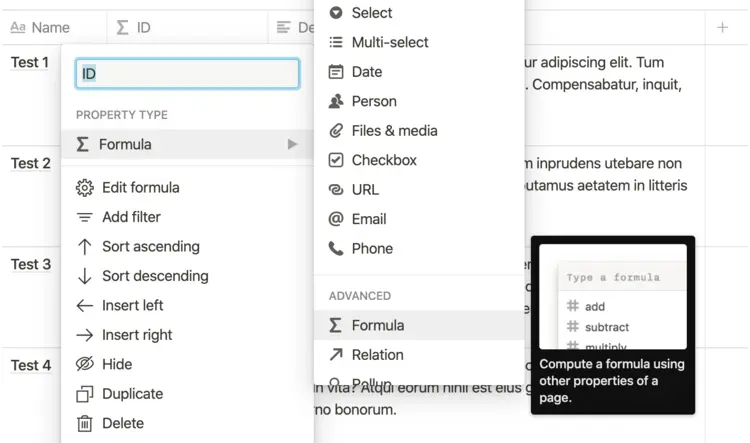
Linking databases in Notion in short: there are three different features hiding behind that phrase. Relations connect records in two databases, like tasks to their project. Rollups pull numbers across a relation, like total hours per project. Linked views show an existing database on another page. All three are built in and free. This guide sets up each one, then covers the part Notion does not handle: reporting across linked databases once rollups hit their ceiling.
The three things "linking databases" can mean
People search for this with three different problems in mind, and Notion has a separate feature for each:
| You want to | Feature | Example |
|---|---|---|
| Connect records in two databases | Relation | Each task points to its project |
| Summarize connected records | Rollup | Project shows the sum of its tasks' hours |
| Show one database in several places | Linked view | The team's tasks, filtered per teamspace |
If you only need the same database visible on another page, skip straight to linked views. If you want the databases to actually know about each other, start with relations.
How to link two databases with a relation
Say you have a Projects database and a Tasks database, and you want every task tied to its project:
- Open the Tasks database and click + at the end of the property row to add a property.
- Choose the Relation type and pick Projects as the target database.
- Turn on Show on Projects so the connection is visible from both sides. Notion adds a matching Tasks property to the Projects database.
- Name both sides something obvious (Project on the task side, Tasks on the project side) and save.
- Click the new relation cell on any task and pick its project.
Relations are many-to-many by default: a task can point at several projects and a project holds many tasks. A relation can also point at its own database, which is how people build subtask and dependency structures.
Rollups: pull numbers across the relation
A relation by itself only connects pages. To get information out of the connected pages, add a rollup:
- In the Projects database, add a property and choose the Rollup type.
- Pick the relation to follow (Tasks) and the property to look at (say, Hours).
- Pick a calculation: show original, the count variants, sum, average, median, min, max, percent empty or not empty, earliest and latest for dates, plus checkbox options like percent checked.
"Sum of Hours" gives each project its total estimated time. "Percent checked" on a Done checkbox gives a completion percentage you can even display as a progress bar. One relation can feed any number of rollups, so a project can show task count, total hours, and completion side by side. For every calculation option, the tricks for filtered and multi-hop rollups, and where they stop, see the Notion rollups guide.
Linked views: the feature formerly called linked databases
Type /linked on any page and choose Linked view of database to show an existing database somewhere else. It is the same data, not a copy: edits flow both ways instantly. What makes it useful is that each linked view keeps its own filters, sorts, and layout. The classic setup is one master Tasks database with a linked view per teamspace, each filtered to that team, plus a personal "assigned to me" view on your home page.
If you came here searching "linked database", this is the feature. Notion renamed it to linked views years ago, but the old name stuck.
Where linked databases stop working
Relations and rollups cover connecting and summarizing. They stop at analysis:
- One calculation per rollup. "Hours per project" works. "Hours per project per assignee per month" does not. There is no cross-tabulation anywhere in Notion.
- No rollups of rollups. A rollup only reaches one hop across a relation. Chaining data across Clients → Projects → Tasks needs helper formula properties at every step, and it gets fragile fast.
- No joins. Records only connect through relations someone created by hand, page by page. There is no way to match records on a shared value like an email or an ID.
- Grouping stays shallow. Tables group by one property, and boards add a sub-group, but neither gives you a calculation across two dimensions.
If none of that bothers you, you are done, and the native features are genuinely good. If you just nodded at one of them, the practical fix is a spreadsheet.
Analyze linked databases in Google Sheets
Sync2Sheets mirrors Notion databases into Google Sheets in real time, and it keeps the linking work you already did: relation cells come through as links to the connected Notion pages and rollups arrive as their computed values, no flattening or re-export.
- Install Sync2Sheets from the Google Workspace Marketplace and connect your Notion workspace.
- Sync each database you want to analyze to its own tab in the same spreadsheet. The first sync lands in seconds.
- Join across tabs with
XLOOKUPorQUERY. Every synced tab includes a Notion Page ID column, so related rows match by ID, or you can join on any shared value like an email or an order number. This is the join Notion cannot do. - Build pivot tables and charts on the synced data. Hours per project per assignee per month is now a four-click pivot.
Because the sync is real time, the analysis stays current as people edit Notion. And when the team wants the results without leaving Notion, push a summary range back as a table block or embed a live chart.
Which method fits
| Relations | Rollups | Linked views | Sheets sync | |
|---|---|---|---|---|
| Connects records | Yes | Needs a relation | No | Keeps existing relations |
| Summarizes across databases | No | One calculation | No | Pivots, formulas, joins |
| Lives inside Notion | Yes | Yes | Yes | Results can sync back |
| Best for | Structure | Simple totals | Reusing a database | Reporting and analysis |
Start with relations and rollups; they are the right tool for structure and simple totals. When the questions get bigger than one calculation, sync the databases to Google Sheets and ask them there.
Frequently asked questions
How do I link two databases in Notion?
Open one of the databases, add a new property, and choose the Relation type. Pick the database you want to connect, turn on "Show on" if you want the link visible from both sides, and save. You can then click any cell in the relation column and select the pages it should connect to.
What is the difference between a relation and a linked database in Notion?
A relation is a property that connects records in two different databases, like tasks to their project. A linked view (what Notion used to call a linked database) shows an existing database on another page with its own filters and sorting. Relations connect data, linked views display it.
Why can't I roll up a rollup in Notion?
Notion does not support rollups of rollup properties. A rollup can read regular and formula properties on directly related pages, but not another rollup. To chain data across two relations you need intermediate formula properties, and even then each rollup shows exactly one calculation. For multi-step or multi-dimensional summaries, a spreadsheet is the practical route.
How do I report across two linked Notion databases?
Inside Notion you are limited to rollups and grouped views, which handle one calculation at a time. For real cross-database reporting, sync each database to a tab in the same Google Sheet with Sync2Sheets, then join them with XLOOKUP or QUERY and build pivot tables. The synced tabs update in real time, so the report stays current.
Sync Notion to Google Sheets in real time
Use Sheets formulas in Notion, build dashboards, back up your databases, and compare tools. Free 7-day trial.