Google Forms Notion Integration: Send Responses Automatically (2026)
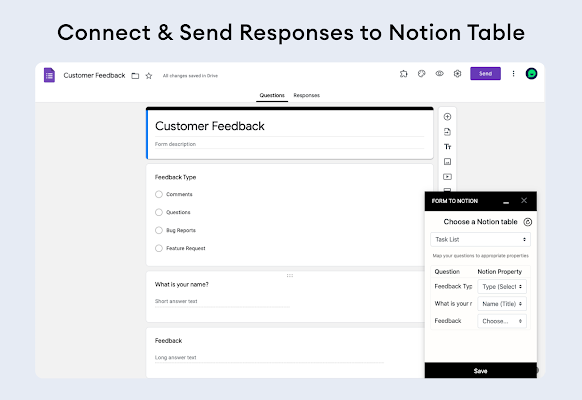
The Google Forms Notion integration in short: Google Forms saves every response to a linked Google Sheet. Point Sync2Sheets at that sheet's Form Responses tab, map the columns to a Notion database, and turn on page creation. Each new submission then becomes a Notion page automatically, with no copy-paste and no per-task fees.
Google Forms is hard to beat for collecting answers. It is free, everyone already knows how to use it, and it works on a phone. But once the responses pile up, a flat list of rows is a poor place to work. Notion is built for that part: relations, status fields, and filtered views.
The good news is you do not have to choose. You can keep collecting in Google Forms and manage the results in Notion, with each new submission landing as a Notion page on its own.
Why send Google Forms responses to Notion
Forms and Notion are good at different halves of the job.
Google Forms handles intake. It is the front door: clean question types, mobile-ready, and free no matter how many people respond.
Notion handles everything after intake. A response that lives as a Notion page can carry a status (new, contacted, closed), link to a company or project through a relation, and sit inside a board or calendar view your team already works from. None of that is possible while the data is stuck in a spreadsheet of raw rows.
Connecting the two means your event sign-ups, lead forms, and bug reports stop being a static list and become something you can route, filter, and act on.
How to integrate Google Forms with Notion: three ways
Google Forms and Notion do not talk to each other out of the box, so any integration goes through a middle step. There are a few ways to get form responses into Notion. Here is how each one holds up before the setup we recommend.
Manual copy-paste
You open the responses, copy a row, and paste it into Notion as a new page. It costs nothing and needs no tools. It also falls apart the moment responses arrive faster than you can keep up, and it is easy to miss a submission or paste it into the wrong field. Fine for a handful of responses, painful past that.
Zapier or other task-based automation
A tool like Zapier can watch for new form responses and create a Notion page for each one. This works, and it is a real option. The catch is the pricing model: you pay per task, so a busy form quietly burns through your task quota, and costs climb as volume grows. Field mappings also tend to drift over time, and you only notice when a page shows up with empty properties.
Sync2Sheets through the linked Google Sheet
Sync2Sheets uses something Google Forms already does for you. Every form can write its responses to a Google Sheet, and Sync2Sheets keeps that sheet in real-time sync with a Notion database. The mapping lives right in the spreadsheet you can see, pricing is flat no matter how many responses come in, and creating Notion pages from new rows is built in.
The chain is simple: Google Form, then Google Sheet, then Sync2Sheets, then Notion database. Let's set it up.
Step-by-step: set up the Google Forms to Notion integration with Sync2Sheets
1. Link your Google Form to a Google Sheet
Open your form, go to the Responses tab, and link it to a spreadsheet. Google creates a sheet with a Form Responses tab, and from then on every submission appends a new row there automatically. The rest of the setup builds on this tab, and Google handles it for free.
2. Sync the Form Responses tab to a Notion database
Install the Sync2Sheets add-on from the Google Workspace Marketplace and connect it to your Notion workspace. Open the Google Sheet that holds your responses, launch Sync2Sheets from the sidebar, and sync the Form Responses tab to the Notion database where you want your submissions to live.
During setup you line up each column with a Notion property: the email question maps to an email property, the dropdown maps to a select, and so on. You do this once. Sync runs in real time in both directions, and you set the direction per column.
3. Turn on page creation so new submissions become pages
This is the step that makes the whole thing automatic. With page creation, Sync2Sheets watches for new rows and turns each one into a Notion page.
Every row has a Page ID column. A brand-new form response arrives without a page yet, so you mark that row as NEW (or DRAFT) in the Page ID column. On the next sync, Sync2Sheets creates a matching Notion page with all the mapped properties filled in, then writes the real page ID back into that column so it is never created twice.
In practice you set this up once and forget it. A response comes in through Google Forms, lands in the Form Responses tab, gets flagged for creation, and shows up in Notion as a fully populated page. No copy-paste, no per-task meter running in the background.
Manual vs Zapier vs Sync2Sheets
| Manual copy-paste | Zapier | Sync2Sheets | |
|---|---|---|---|
| Setup effort | None | Moderate | Moderate (one-time) |
| Ongoing work | High, every response | Low | Low |
| Cost model | Free | Per task, grows with volume | Flat monthly |
| Handles high volume | Poorly | Yes, at rising cost | Yes |
| Mapping visibility | None | Hidden in the Zap | Visible in the spreadsheet |
| Two-way sync | No | Limited | Yes, per column |
| Best for | A few responses | One-off automations | Steady, growing form intake |
Manual is fine for the occasional response. Zapier is a solid pick when you want a quick one-off connection and volume stays low. Sync2Sheets is the better fit when forms are a regular part of how you work and you want predictable pricing as submissions grow.
What you can build with this
Once new responses flow into Notion on their own, the form becomes the front end of a real workflow:
- Lead capture. A Google Form on your site feeds a Notion CRM. Each lead arrives as a page you can assign an owner, set a status, and link to a deal.
- Event sign-ups. Registrations become Notion pages in a calendar view, ready to tag, group, and follow up on.
- Bug or feature intake. Reports land as pages you can prioritize, link to a project, and move across a board.
- Job applications. Each applicant becomes a page in a hiring pipeline, with stages and reviewer notes attached.
The form stays simple for whoever fills it out. The work happens in Notion, where you already manage everything else.
Wrap up
Google Forms collects. Notion manages. The piece in the middle is the Google Sheet your form already writes to, and Sync2Sheets turns each new row in that sheet into a Notion page automatically. (If you want the reverse, sending Notion form responses out to Google Sheets, that is a separate workflow.)
You collect responses where people are comfortable answering, and you act on them where your team already works, without copying a single row by hand.
Ready to wire your forms into Notion? Start a free 7-day trial of Sync2Sheets. No credit card required.
Frequently asked questions
How do I send Google Forms responses to a Notion database?
Link your Google Form to a Google Sheet so responses land in a Form Responses tab. Then sync that tab to a Notion database with Sync2Sheets and turn on page creation. Each new submission row becomes a Notion page automatically on the next sync.
Is there a native Google Forms Notion integration?
No, Google Forms has no native Notion integration. The reliable path runs through the linked Google Sheet that already stores every response. A sync tool watches that sheet and creates a matching Notion page for each new row, so the form connects to Notion through the spreadsheet.
Does each Google Form submission create a new Notion page?
Yes. With page creation enabled in Sync2Sheets, every new response row marked NEW in the Page ID column becomes a fresh Notion page on the next sync, with each form question mapped to a database property. You collect in Forms and manage the results in Notion.
Is Zapier or Sync2Sheets better for Google Forms to Notion?
Zapier charges per task, so cost climbs as submissions grow. Sync2Sheets uses flat monthly pricing regardless of volume and keeps the mapping inside the spreadsheet you already see. Zapier suits quick one-off automations, while Sync2Sheets fits steady, higher-volume form intake that you want to manage as a Notion database.
Do I need to map every form question to a Notion property?
You map columns once. The Google Sheet column for each form question lines up with a Notion property, and after that every new submission fills those properties automatically. If you add a question later, you update the mapping once rather than per submission.
How much does sending Google Forms to Notion cost with Sync2Sheets?
Sync2Sheets uses flat pricing: Starter is 12 dollars per month billed annually (15 monthly), Advanced is 19 (23 monthly), and Business is 40 (49 monthly). There is a free 7-day trial with no credit card required. Pricing does not change with submission volume.
Sync Notion to Google Sheets in real time
Use Sheets formulas in Notion, build dashboards, back up your databases, and compare tools. Free 7-day trial.