Full Database Scan: Refresh Every Row at Once
Force-refresh an entire synced Notion database. Picks up rollup changes, formula updates, and newly-added Notion properties that regular sync may miss.
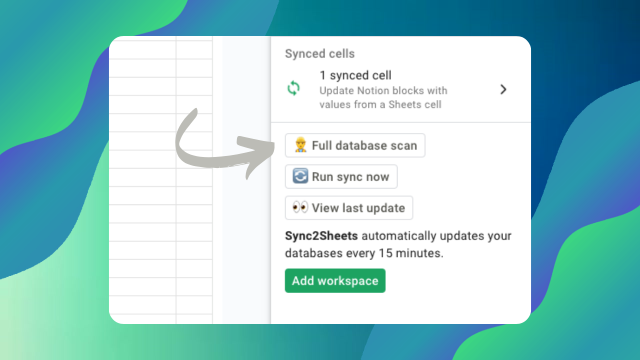
A full database scan pulls every page from a Notion database and updates every row in the corresponding sheet. Use it when you need a clean baseline, or when regular real-time sync cannot see a specific kind of change.
Why regular sync is not always enough
Sync2Sheets uses Notion's webhooks to keep data in sync in real time. Webhooks fire when something on a page changes and Notion's API knows about it. There are a few edge cases where this is not enough:
- Rollups reference values on related pages. If the underlying related page changes but the page holding the rollup is untouched, the rollup's value changes but no webhook is emitted for it. Your sheet stays at the old value until the related page is also edited.
- Formulas that reference page metadata (like
now()orlastEditedTime) change over time without any edit event. - Newly-added columns in Notion appear in Sheets on the next sync, but existing rows only fill in values for the new column when each row is next updated.
- Data imported in bulk through Notion's CSV import sometimes does not trigger standard edit events.
A full scan fixes all of the above by rereading every page from the Notion API and writing the current values into the sheet.
What a scan does
When you run a full scan on a database:
- Sync2Sheets pulls every page from the Notion database through the API.
- Every row in the sheet is refreshed with the current values.
- Any new property added in Notion since the last scan appears as a new column, populated for every row.
- Deleted pages are removed from the sheet.
- The Page ID mapping is preserved so formulas and external references keep working.
When to run one
- After changing a rollup or formula definition in Notion
- After bulk-importing rows into Notion via CSV import or another tool
- After adding a property and wanting existing rows to show the new column's values immediately
- Before running a report when you want absolute certainty the sheet is current
- When debugging a sync issue to rule out a stale state
Running a scan
- Open the Sync2Sheets sidebar.
- Select the database you want to refresh.
- Click Full Scan.
- Wait for the progress bar. The time depends on how many pages are in the database.
Large databases (thousands of pages) take longer because the Notion API paginates results. Sync2Sheets handles pagination automatically, but you should not interrupt the scan.
Plan limits and cadence
Regular sync runs continuously for all plans. Manual full scans have a per-plan cadence limit, which you can check on the pricing page. Most workspaces run a full scan a few times a month and rely on real-time sync the rest of the time.
Related features
- Audit log records every schema change so you can see when properties were added, removed, or modified, which often motivates a full scan.
- Databases explains the underlying sync engine that full scans complement.
Related features
Audit Log: Track Every Notion Database Change
A dedicated sheet that logs every schema change to your Notion database: properties created, removed, or updated, with timestamps and authors.
Sync Notion Databases to Google Sheets
Real-time, property-by-property sync between any Notion database and a Google Sheet. Every relation, rollup, select color, and date range preserved.
Real-Time 2-Way Sync Between Notion and Google Sheets
Sync Notion databases and Google Sheets in real time, in both directions. Pick the direction column by column: Notion to Sheets, Sheets to Notion, or Both ways.
Try Full Database Scan: Refresh Every Row at Once free for 7 days
Install Sync2Sheets once and every feature is available, including this one. Plans from $12/month.