Notion Pricing 2026: Every Plan Compared (Free, Plus, Business, Enterprise)
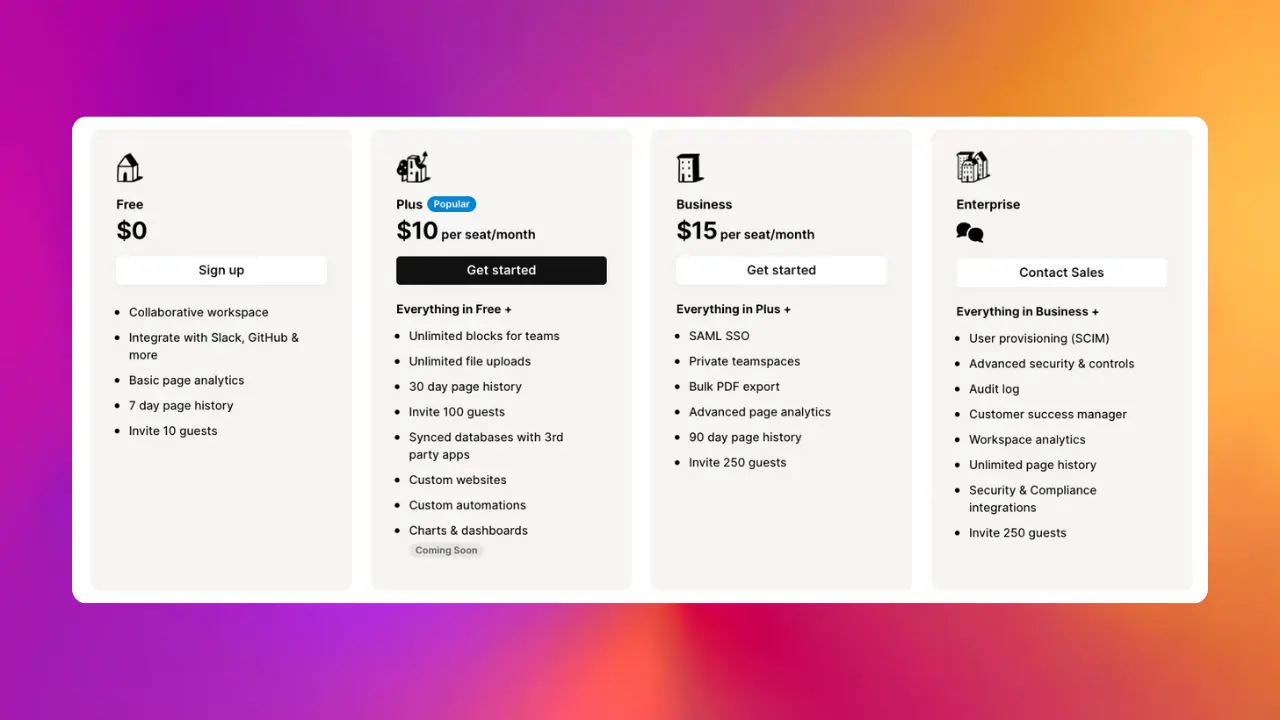
Notion has four plans: Free, Plus, Business, and Enterprise. Picking the right one is less about features on paper and more about where you'll hit the ceiling first.
This guide walks through each tier with the current 2026 prices straight from notion.com/pricing, what you actually get, and where the real limits kick in. For teams that outgrow Notion's built-in data tools, Sync2Sheets extends Notion with real-time 2-way sync to Google Sheets for dashboards, formulas, and reports.
Notion plans at a glance
| Plan | Price (per member) | Best for |
|---|---|---|
| Free | $0 | Solo use, light collaboration, up to 10 guests |
| Plus | $10/month | Small teams, unlimited file uploads, 30-day history |
| Business | $20/month | Growing teams, SAML SSO, private teamspaces, 90-day history |
| Enterprise | Custom | Procurement, audits, SCIM, unlimited history |
Below is the detail on each. Prices reflect Notion's published 2026 pricing.
Notion plans in detail
1. Free Plan
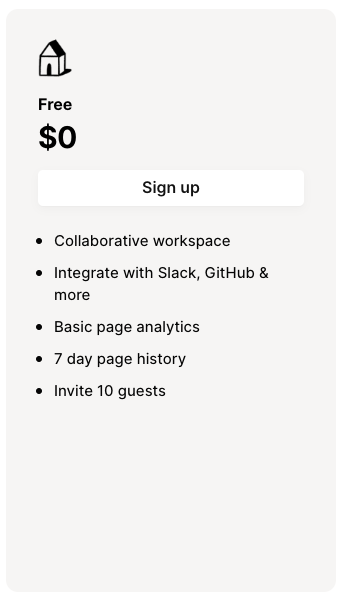
Price: Free
Everyone starts here. It's enough for solo use and light collaboration. What you get:
- Unlimited Blocks: Create as many blocks as you need, whether they're checkboxes, paragraphs, or bullet points.
- Collaborative Workspace: Share your workspace with colleagues or friends and work together in real time.
- Integrations: Connect Notion with other tools like Slack and Zapier to boost your productivity.
- Page History and Analytics: Get insights into how your pages are performing with seven-day version history and basic analytics.
- Invite Guests: Invite up to 10 guests to view your content and collaborate.
2. Plus Plan
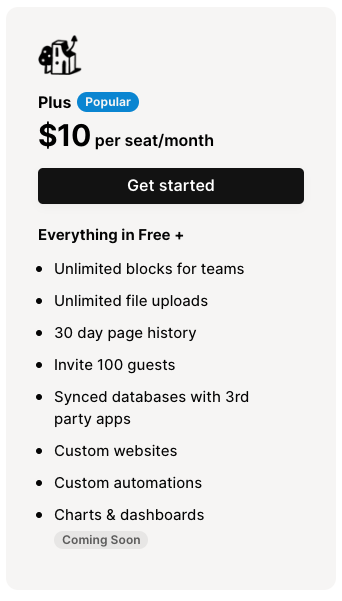
Price: $10/seat per month
Plus is where most individuals and small teams land once they hit the Free plan's ceilings. The big unlocks:
- Unlimited Blocks for Teams: Users can create as many pages as needed without worrying about hitting a cap.
- Unlimited File Uploads: Unlike the Free plan, which restricts file uploads to 5MB, the Plus plan allows users to upload files of any size (some restrictions may apply).
- Version History: Access to 30 days of page history enables users to track changes and revert to previous versions if necessary.
- Sharing Capabilities: While the Free plan offers limited guest invites, the Plus plan expands on this with the ability to invite 100 guests.
- Advanced Organization: Users can better organize their workspaces with enhanced features like a custom domain for your Notion Sites website and advanced permission groups for detailed control over who sees what.
3. Business Plan
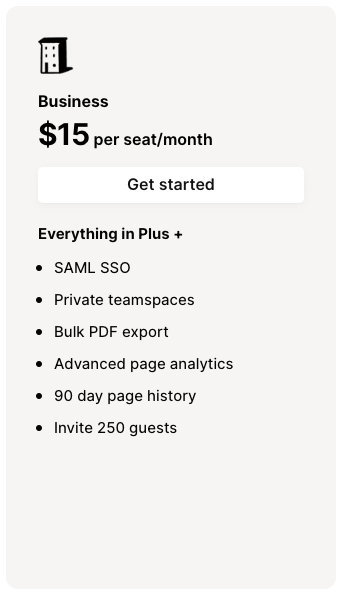
Price: $20/seat per month
Business adds the things a growing team actually needs: sign-on, private teamspaces, bigger guest limits, and bulk export. Standouts:
- Advanced Page Analytics: Users on the Business plan can see advanced analytic information such as who created a page and a list of the page's editors over time.
- Longer Page History: View changes and revert to page versions from the past 90 days.
- Private Teamspaces: This feature lets you create teamspaces that are only visible to people you add, helping keep your most sensitive information private.
- SAML SSO: Create a secure, single sign-on for members of your organization.
- Invite More Guests: Business plan users can invite up to 250 guests to collaborate on specific pages.
- Bulk PDF Export: You can simultaneously export all your Notion pages as PDFs to create a backup or comply with legal requirements.
4. Enterprise Plan
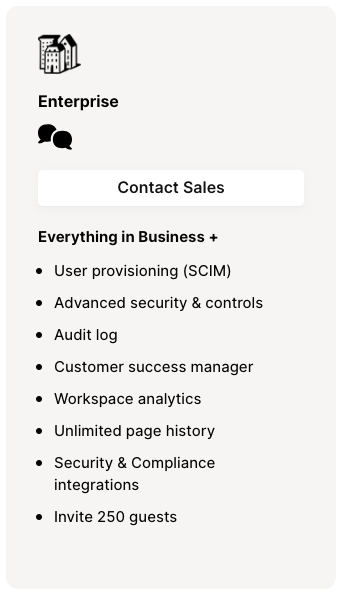
Price: Contact sales for a quote
Enterprise is the plan you're asked about by a procurement team, not one you stumble into. It's about security controls, audit trails, and a human you can call.
- Advanced Security: The Enterprise plan offers SCIM API access for user provisioning, advanced security controls, and activity logging to ensure your data remains secure.
- Customer Success Manager: Enterprise plan subscribers get access to a customer success manager to assist with onboarding, training, and proactive troubleshooting.
- Workspace Analytics: This feature lets you gain insights into popular pages and total traffic across your workspace.
- Unlimited Page History: With this plan, you can retrieve any version of a page ever created, ensuring no information loss.
Notion AI in 2026: credits, not a flat add-on
Notion AI's pricing model changed. It used to be a flat $8/member/month add-on. The current model is credit-based, with limited AI trials bundled into every paid plan:
- Free: limited AI capabilities (trial)
- Plus: limited AI (trial)
- Business: Notion Agent (limited trial), AI Meeting Notes, Enterprise Search (limited trial), premium connections
- Enterprise: the full AI feature set with admin controls
For teams that need more than the trial allowance, Notion sells Custom Agents at $10 per 1,000 monthly Notion credits. Workers (beta) is currently free and starts using credits on August 11.
What this means in practice: most teams don't need to add anything extra on Plus or Business unless they're running AI workflows heavily. If you do, the credits model scales with usage rather than charging per user.
Notion Sites
Notion lets you publish any page as a website. Basic publishing works on every plan. To get the polish (custom favicon, custom top header, light/dark theme, Google Analytics) you need Plus or higher. Custom domains are available with an additional fee on top of your plan. See our Notion Sites guide for the full breakdown.
Which plan should you pick
- Solo, personal use: stay on Free until you hit file upload limits or need more than 10 guests.
- Working with a small team, sharing a lot: Plus.
- Bigger team, compliance or SSO requirements: Business.
- Large org, procurement, audits: Enterprise.
Before you upgrade, check which ceiling you hit
Most people comparing Notion plans are here because they ran into a limit. It's worth separating two kinds, because they have different fixes.
Plan limits have plan fixes. File uploads, version history, guest counts, SSO: pay for the next tier and the wall moves.
Data limits don't. If what's actually bothering you is reporting (pivot tables, formulas that work across thousands of rows), upgrading won't help. Notion is built for writing and organizing, not spreadsheet work, and that stays true on every tier including Enterprise.
Sync2Sheets removes that second ceiling instead. It keeps your Notion databases and Google Sheets in sync in real time, in both directions. You get the full Sheets toolkit on live Notion data, and you can embed the charts back into your Notion pages. Edits flow back too: change a cell in Sheets and the Notion page updates. It works on any Notion plan, including Free.
If you're weighing an upgrade purely for better reporting, try this first: install the add-on and sync one database. The trial is 7 days, free, no credit card.
Sync Notion to Google Sheets in real time
Use Sheets formulas in Notion, build dashboards, back up your databases, and compare tools. Free 7-day trial.